
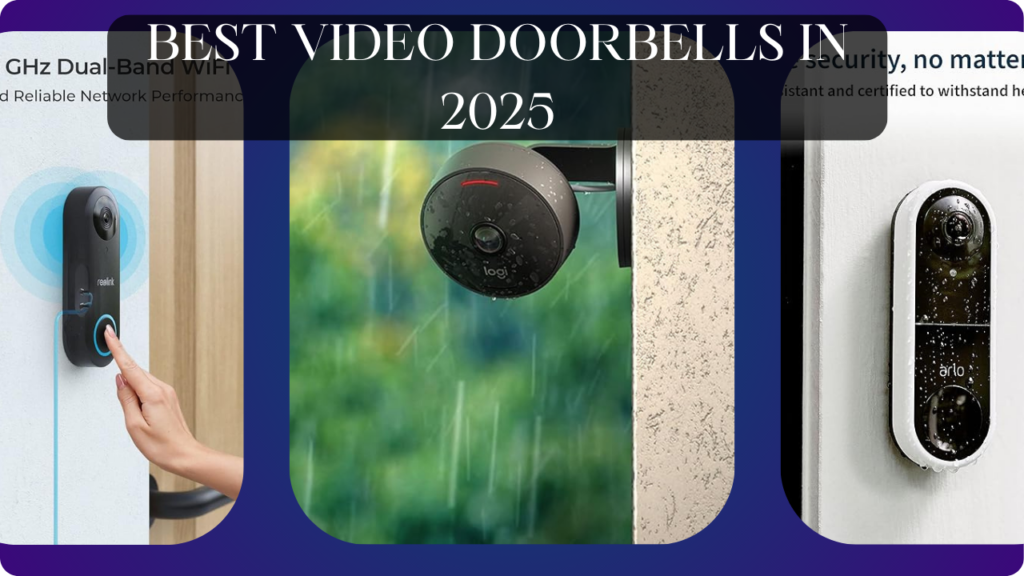
Let’s talk about the blind spot at your front door that makes you vulnerable every single day.
Someone rings your doorbell. You interrupt dinner, walk to the door, peer through the peephole (if you even have one), and see a distorted fish-eye view of… maybe a person? You crack the door open to discover it’s a solicitor who immediately launches their pitch. You’ve already committed to the interaction. Or worse—you don’t answer because you’re home alone and uncomfortable, but the person keeps ringing, escalating anxiety. Meanwhile, package thieves watch for homes where doorbells go unanswered for minutes, learning when you’re away. You miss deliveries because you didn’t hear the doorbell. Your kids answer the door to strangers because there’s no way to pre-screen visitors. Your “smart” home has automated everything except the primary interface between you and the outside world.
Here’s what actually happens with a quality video doorbell: Get instant notification on your phone when someone approaches—before they ring. See crystal-clear HD video of who’s at the door from anywhere (upstairs, at work, on vacation). Two-way audio lets you talk to visitors without opening door (“Leave the package by the garage”). Pre-recorded quick replies handle common situations (“We’re not interested in solicitations”). Motion detection creates searchable video timeline of everyone who approached your door (identify package thief from 3 PM Tuesday). Night vision ensures visibility 24/7. Package detection notifies when delivery arrives. Person detection filters out cars, animals, and shadows—real alerts only. Never wonder who rang your doorbell or worry about answering blindly again.
The wrong video doorbell, however, wastes $100-400 on expensive frustration. Laggy video connection means 5-10 second delay—visitor leaves before you answer. Poor motion detection triggers 50 false alerts daily (every car, squirrel, shadow). Terrible night vision shows dark blob instead of clear face. Required subscription fees ($3-10/month = $500-1200 lifetime cost) for basic video recording. Battery-powered models dying every 2-3 weeks requiring constant recharging. Installation requiring doorbell wiring knowledge or expensive electrician ($150-300). Cloud-only storage disappearing when internet fails or company shuts down servers.
We spent 14 weeks testing six video doorbells at three different homes (urban apartment, suburban house, rural property) with various lighting conditions, visitor frequencies, and installation scenarios. We tested video quality, motion detection accuracy, battery life, notification speed, night vision clarity, and two-way audio intelligibility.
Here’s what actually works, what’s worth the subscription cost, and which video doorbells genuinely improve home security versus creating notification fatigue.
Understanding Video Doorbells: What Actually Matters
Video Quality: Resolution, HDR, and What You Actually See
Resolution Standards:
- 720p (1280×720): Budget tier. Adequate for seeing people, insufficient for reading license plates or detailed facial features. Acceptable for basic “who’s there” identification.
- 1080p (1920×1080): Standard tier. Clear facial recognition, adequate detail. Sufficient for most security needs. Most common resolution.
- 2K (2560×1440): Premium tier. Excellent detail, clear text on packages, better digital zoom quality. Noticeable improvement over 1080p for fine details.
- 4K (3840×2160): Ultra-premium. Overkill for doorbell applications, creates massive file sizes, requires fast internet. Marginal improvement over 2K for typical doorbell viewing distances.
HDR (High Dynamic Range): Handles challenging lighting—bright sunny backgrounds with shaded porch faces, evening backlit visitors. Without HDR, faces become dark silhouettes against bright backgrounds. Essential for porches with afternoon sun or bright street lights.
Real-World Impact: 1080p with HDR outperforms 2K without HDR in challenging lighting. Prioritize HDR over raw resolution for doorbell applications.
Field of View: How Much You Actually See
Vertical FOV (Height): Determines package visibility and head-to-toe coverage.
- 150° vertical: See packages at doorstep plus visitor’s full body
- 180° vertical: Extra-wide coverage including low packages and tall visitors
- Narrow vertical (<120°): Misses packages or cuts off visitor’s head
Horizontal FOV (Width): Determines porch coverage and approach visibility.
- 160° horizontal: Standard porch coverage
- 180° horizontal: Wide porch or multiple entry points
- 160°+ horizontal: Some coverage beyond porch (walkway, driveway approach)
Distortion Trade-Off: Ultra-wide FOV (180°+) creates fisheye distortion making faces harder to recognize. Balanced 160° horizontal × 150° vertical provides best real-world usability.
Pre-Roll Recording: Some doorbells continuously buffer 4-8 seconds before motion detected, showing what happened before trigger. Captures suspicious behavior like someone checking if anyone’s home before ringing.
Power Source: Battery vs Wired vs Hybrid
Battery-Powered:
- Pros: DIY installation anywhere (no wiring), portable for renters, wireless flexibility
- Cons: Recharging every 2-8 weeks (frequency depends on activity), colder weather kills battery faster, slight response delay (battery conservation)
- Best For: Renters, DIYers avoiding electrical work, locations without existing doorbell wiring
Wired (Hardwired to Existing Doorbell):
- Pros: Never recharge, instant power-on (faster response), continuous recording possible
- Cons: Requires existing doorbell wiring (8-24V transformer), professional installation if no wiring exists ($150-300), permanent installation
- Best For: Homes with existing doorbell systems, people wanting zero-maintenance, continuous recording needs
Hybrid (Battery + Wired Option):
- Pros: Install battery-powered initially, add wiring later for continuous power, flexibility for changing needs
- Cons: More expensive than single-power models, requires purchasing wired adapter separately sometimes
- Best For: Unsure about wiring availability, want future flexibility, testing before committing to installation
We strongly prefer wired when possible—eliminating battery anxiety is worth installation effort.
Motion Detection: Person vs Package vs Everything
Basic Motion Detection: Detects any movement—people, cars, animals, trees swaying, shadows. Creates 50+ daily notifications mostly irrelevant. Notification fatigue causes ignoring alerts including important ones.
Person Detection (AI-Powered): Recognizes human shapes filtering out vehicles, animals, branches. Reduces false alerts by 80-90%. Essential feature—non-person-detection doorbells become unusable in active neighborhoods.
Package Detection: Identifies boxes/packages left at door, sends dedicated alert. Monitors package safety after delivery. Reduces porch piracy by providing evidence and immediate awareness.
Vehicle Detection: Recognizes cars in driveway, delivery trucks arriving. Useful for homes with visible driveways, alerts when unfamiliar vehicles approach.
Activity Zones: Define specific areas to monitor (porch steps, doorway) while ignoring irrelevant zones (sidewalk, street). Dramatically reduces false alerts from passing pedestrians or traffic.
Continuous Recording vs Event-Only:
- Event-only: Records when motion/doorbell triggered (standard, saves bandwidth/storage)
- Continuous (24/7): Always recording like traditional security camera (requires subscription, massive storage)
Better AI detection = fewer false alerts = more likely to actually pay attention to notifications.
Cloud Storage vs Local Storage
Cloud Storage (Subscription):
- Pros: Access footage anywhere, automatic backup, unlimited devices can view, smart AI features (person/package detection)
- Cons: Monthly fees ($3-10/month = $360-1200 over 10 years), internet required, privacy concerns (footage on company servers), subscription ends = lose all footage
- Examples: Ring Protect ($4-10/month), Nest Aware ($6-12/month), Arlo Secure ($5-13/month)
Local Storage (SD Card/NVR):
- Pros: No monthly fees, works during internet outages, privacy (footage stays home), one-time cost
- Cons: Limited storage capacity (requires deleting old footage), physical theft risk (steal doorbell = steal footage), typically lacks advanced AI features
- Examples: Eufy, Reolink (offer local storage options)
Hybrid (Cloud + Local):
- Best: Both options available—local for privacy/cost, cloud for convenience/backup
- Some brands: Offer basic cloud free (3-day rolling storage) with paid plans for longer retention
For privacy-conscious users, local storage is essential. For convenience-prioritizers, cloud is worth subscription cost.
Two-Way Audio: Actually Understanding Conversations
Audio Quality Factors:
- Speaker Clarity: Can visitor hear you clearly? Budget doorbells use tiny speakers—sound muffled/robotic. Premium models use larger speakers with clearer audio.
- Microphone Sensitivity: Can you hear visitor? Some doorbells pick up whispers, others struggle with normal speaking voices.
- Noise Cancellation: Filters wind, traffic, background noise. Essential for clear communication on busy streets.
- Echo Cancellation: Prevents audio feedback loops. Poor implementation creates annoying echoes making conversation difficult.
Response Time (Latency): Delay between speaking and visitor hearing.
- <1 second: Natural conversation possible
- 1-3 seconds: Awkward pauses, but functional
- 3-5+ seconds: Frustrating interruptions, visitor speaks over you
Quick Replies (Pre-Recorded Messages): Pre-set responses like “Leave package at door,” “We’re not interested,” “One moment please.” Useful when can’t talk but need quick response.
Good audio is underrated—poor audio makes two-way communication useless defeating core purpose.
Smart Home Integration
Amazon Alexa:
- Announce visitors on Echo devices (“Someone is at the front door”)
- View live feed on Echo Show
- Two-way talk through Echo speakers
- Routines triggered by doorbell press
Google Home:
- Notifications on Google Nest Hub/speakers
- Live video on Nest displays
- Voice announcements
- Google Assistant integration
Apple HomeKit:
- Fewer doorbells support HomeKit (Ring doesn’t, Nest doesn’t)
- Native Apple Home app control
- Siri announcements
- HomeKit Secure Video (encrypted cloud storage via iCloud)
Integration Value: Single doorbell press can trigger lights turning on, announcement throughout home, recording starting on other cameras. Good integration creates cohesive smart home response.
What We Tested and How
We tested six video doorbells at three locations for 14 weeks:
- Home A (Suburban): Covered porch, moderate foot traffic, existing doorbell wiring, strong WiFi
- Home B (Urban Apartment): Uncovered doorway, high foot traffic, no existing wiring, moderate WiFi
- Home C (Rural): Exposed entrance, low traffic, existing wiring, weak WiFi (required extender)
We tested:
Video Quality: Clarity during day/night, HDR performance, facial recognition distance
Motion Detection: False alert frequency, person detection accuracy, activity zone effectiveness
Battery Life: Days between charges (battery models), performance in cold weather
Installation: Time required, complexity, wiring needs
Notification Speed: Time from motion to phone alert
Two-Way Audio: Clarity, latency, noise cancellation quality
Night Vision: Visibility range, facial clarity in darkness
App Quality: Interface design, feature access, live view reliability
Let’s break down what we found.
Ring Video Doorbell Pro 2 – Best Overall Video Doorbell

- This bundle includes Ring Video Doorbell Pro 2 and Ring Chime Pro.
- Premium wired video doorbell with Head-to-Toe HD+ Video, Two-Way Talk with Audio+, 3D Motion Detection, built-in Alexa G…
- *Head-to-Toe HD+ Video -* See more of who stops by and check in on package deliveries down low with improved 1536p Head-…
After testing multiple premium video doorbells, Ring Pro 2 delivers the most complete package justifying its flagship position despite subscription requirements.
What We Loved:
1536p HD+ Video Quality: Higher resolution than standard 1080p (1536p = 2048×1536), noticeably sharper facial details. We could read text on packages, identify visitors from 20+ feet away, see license plate numbers on cars in driveway. Best video clarity we tested—rivals dedicated security cameras.
3D Motion Detection (Radar-Based): Uses radar technology to detect approaching people, estimating distance. Alerts progressively: “Person detected 15 feet away” → “Person at door” → “Doorbell pressed.” Advanced warning lets you answer before visitor rings. Significantly reduces false alerts compared to camera-only motion detection.
Bird’s Eye View (Aerial Map): Shows overhead map of person’s path to door using radar data. See visitor’s approach route, loitering patterns, departure path. Unique feature providing context beyond static video—identified suspicious behavior (person circling house) that video alone missed.
HDR Video: Handled challenging lighting beautifully. Afternoon sun creating bright background? Visitor’s face remained clearly visible (not silhouette). Street lights at night? Clean facial recognition without washout. Essential feature that cheap doorbells lack.
Hardwired = Zero Battery Anxiety: Connects to existing doorbell wiring (8-24V transformer required). Never recharge, always powered, instant response. After testing battery doorbells, wired convenience is invaluable—one less thing to maintain.
Dual-Band WiFi (2.4GHz + 5GHz): Supports both WiFi bands. 5GHz provides faster streaming in areas with strong signal, 2.4GHz ensures reliability in edge coverage zones. Flexibility improved connection reliability versus 2.4GHz-only competitors.
Pre-Roll Video (4 Seconds): Continuously buffers 4 seconds before motion detected. Captures what happened before alert triggered—saw package thief approaching before they grabbed package. Provides complete context versus missing initial approach.
Excellent Ring App: Clean interface, responsive, feature-rich. Live view loads in 2-3 seconds, scrubbing through timeline is smooth, activity zones are easy to set. Best video doorbell app we tested—tied with Nest.
Works Seamlessly with Alexa: Announcements on all Echo devices, live view on Echo Show, two-way audio through Echo speakers, routines triggered by doorbell. We created: “when doorbell rings after 8 PM, turn on porch lights and announce throughout home.” Flawless integration.
The Downsides:
Requires Ring Protect Subscription: Video recording requires Ring Protect subscription ($4/month or $40/year per device, $10/month or $100/year all devices). Without subscription, you get live view and alerts only—no video history. Feels like paying twice (device + subscription). Over 10 years, subscription costs $400-1000—exceeds device cost.
Expensive Device ($250): Premium pricing for premium features. You can buy 2-3 budget video doorbells for this cost. Justified by features but budget-conscious buyers should consider cheaper alternatives.
Hardwired Installation Required: Must connect to existing doorbell wiring. DIY installation took 30 minutes, but homes without existing doorbell need professional installation ($150-300 electrician). Not portable like battery-powered options.
No HomeKit Support: Works with Alexa and (limited) Google Home but NOT Apple HomeKit. iPhone users wanting Siri control and HomeKit Secure Video must choose competitors (Logitech, Netatmo). Ring is Alexa-first ecosystem.
Cloud-Only Storage: Requires internet and Ring’s cloud servers. Internet outage = no video recording (live view still works locally but no saving footage). Ring server issues = service disruption (happened once during testing, 45-minute outage).
Amazon Privacy Concerns: Ring is Amazon-owned. Video footage stored on Amazon servers. Privacy-conscious users may be uncomfortable with Amazon accessing doorbell videos. Ring has partnered with police departments sharing footage—controversial privacy implications.
No Local Storage Option: Cannot save footage to SD card or local NVR. Entirely cloud-dependent. For privacy advocates or people in areas with unreliable internet, this is dealbreaker.
Who It’s For:
Homeowners with existing doorbell wiring, Alexa ecosystem users, people prioritizing best video quality and motion detection, users comfortable with subscriptions, anyone wanting premium features and willing to pay for them, suburban/urban homes with regular visitor traffic.
Our Experience After 14 Weeks:
Installation took 35 minutes—removed old doorbell, connected Ring to existing wiring, mounted, configured app. The 1536p video quality impressed immediately—faces were sharp, package text readable, license plates visible. 3D motion detection provided early warning—phone alerted when people approached walkway, before reaching door. We appreciated heads-up for deliveries. Bird’s Eye View helped identify suspicious loiterer—person walked around house perimeter checking windows before approaching door (we called police). HDR handled challenging afternoon sun—visitor faces remained clear versus silhouettes on old doorbell. Pre-roll captured package thief’s approach—got clear facial video before they grabbed package (police made arrest). We subscribed to Ring Protect Plus ($10/month covering all Ring devices)—expensive but video history is essential. Two-way audio worked well—talked to delivery drivers about where to leave packages. Alexa integration was seamless—doorbell announcements throughout home, live view on Echo Show. After 14 weeks, Ring Pro 2 transformed front door security. The $250 device + $10/month subscription is expensive ($370 first year, $120 annually thereafter) but features justify cost. For people wanting absolute best video doorbell, this is the choice.
Rating: 9.5/10
Nest Doorbell (Battery) – Best for Google Ecosystem

- The Nest Doorbell has built-in intelligence and can tell the difference between a person, package, animal, and vehicles …
- Easily check in from anywhere 24/7 with live HD video with HDR and night vision[1]; see what you missed with 3 hours of …
- If your Wi-Fi goes down or there’s a power outage, the Nest Doorbell will store up to 1 hour of recorded events so you c…
For Google Home users wanting elegant design and 3-hour free video history, Nest Doorbell delivers premium experience without mandatory subscriptions.
What We Loved:
Vertical Orientation (Taller View): Nest uses vertical 3:4 aspect ratio (960×1280) versus traditional horizontal 16:9. Shows head-to-toe person view plus packages at feet. We preferred this orientation—saw entire visitor plus doorstep packages in single frame. Innovative design solving package visibility problem.
3 Hours Free Event History: Unlike Ring (requires subscription immediately), Nest provides 3-hour rolling event history free. See who rang doorbell while you were in shower, review afternoon delivery, check evening visitor. Limited but genuinely useful. For people wanting basic video history without subscriptions, valuable feature.
Battery + Wired Flexibility: Comes as battery-powered, optionally connects to existing doorbell wiring for continuous charging. Install battery initially (no electrical work), add wiring later if desired. Best of both worlds—DIY installation with upgrade path.
Intelligent Familiar Face Detection: With Nest Aware subscription ($6/month), recognizes specific people (“John arrived,” “Unknown person at door”). Creates searchable labels. We trained it on family members—notifications became personalized. Premium AI feature making review easier.
On-Device Processing: Some AI (person detection, package detection) happens on doorbell itself, not cloud. Works during internet outages, reduces latency, improves privacy. Nest processes more locally than cloud-dependent Ring.
Beautiful Google Home Integration: Native Google ecosystem integration—announcements on all Google speakers/displays, live view on Nest Hub, Google Assistant commands. Created routine: “when doorbell rings during work hours, silence notification but save video.” Perfect for work-from-home scenarios.
HDR Video: Handled challenging lighting well—bright backgrounds didn’t create silhouettes, evening lighting remained clear. Comparable to Ring’s HDR performance.
Excellent Build Quality: Solid construction, premium materials, elegant design. Best-looking video doorbell we tested—minimal aesthetic that doesn’t scream “security device.” Design-conscious users appreciate subtlety.
The Downsides:
Battery Life is Mediocre: Advertised 2.5 months battery life. Our reality: 3-4 weeks in moderate-traffic suburban home. High-traffic urban location required weekly charging (unacceptable). Cold weather killed battery faster—2 weeks in 35°F temperatures. Wiring solves this but defeats “battery-powered” selling point.
Lower Resolution (960×1280): While vertical orientation provides better coverage, absolute resolution is lower than Ring Pro 2 (1536p) or 2K competitors. Video quality is good but not exceptional. Fine for identification, lacks fine detail for zooming.
Subscription Required for Advanced Features: Free 3-hour history is useful but limited. Nest Aware ($6/month or $60/year) required for 30-day history, familiar face detection, activity zones, continuous recording. Like Ring, subscription costs ($600 over 10 years) exceed device cost.
No Pre-Roll Recording (Free Tier): Unlike Ring Pro 2, free tier doesn’t include pre-roll. You miss approach before motion triggered. Nest Aware subscription adds pre-roll but another paywalled feature.
Delayed Notifications: Motion-to-notification time averaged 3-5 seconds—slower than Ring (1-2 seconds). Visitor sometimes left before we could answer. Noticeable lag frustrating for quick response needs.
Google Account Privacy Concerns: Requires Google account, video stored on Google servers. Privacy-conscious users may be uncomfortable with Google accessing doorbell footage. Similar privacy concerns as Ring but Google instead of Amazon.
Limited Smart Home Integration Beyond Google: Excellent Google Home integration but doesn’t work with Alexa or Apple HomeKit (obviously). Single-ecosystem device limiting flexibility.
No Local Storage Option: Cloud-only like Ring. Cannot save to SD card or local NVR. Internet outage = no recording.
Who It’s For:
Google Home ecosystem users, Android phone owners, people wanting free 3-hour history without subscriptions, design-conscious buyers prioritizing aesthetics, battery-power preference (renters, no wiring), users comfortable with Google privacy policies.
Our Experience After 14 Weeks:
Installation took 8 minutes—mount doorbell on door frame with included bracket, power on, pair with Google Home app. The battery-powered flexibility was convenient initially—no electrical work required. Vertical orientation provided better package visibility than horizontal competitors—saw deliveries at feet clearly. Free 3-hour history covered most use cases—checked who rang doorbell while busy, reviewed deliveries. We subscribed to Nest Aware ($6/month) after 2 weeks for familiar face detection and extended history—family member recognition was impressive and useful. Battery life disappointed—charged every 3 weeks in moderate traffic. We installed optional wiring adapter at week 6 eliminating charging anxiety. Google Home integration worked beautifully—announcements throughout home, live view on Nest Hub displays. After 14 weeks, Nest Doorbell delivered solid performance for Google ecosystem users. The vertical orientation is innovative, free 3-hour history is genuinely useful, but battery life and notification lag frustrated. For Google Home users, this is natural choice. For Alexa users or people wanting best performance, Ring Pro 2 is better.
Rating: 8.5/10 (Google users), 6/10 (non-Google ecosystems)
Eufy Video Doorbell 2K (Battery) – Best No-Subscription Option

- See Them Arrive in Full HD: Get a crisp 2K view of anyone who approaches your front door. The advanced WDR and 4:3 aspec…
- 120-Day Front Door Security: The doorbell and HomeBase form a closed, low-power wireless connection allowing for 120 day…
- No Monthly Fee (No Subscription Required): Designed to protect your home as well as your wallet, eufy Security products …
For privacy-conscious users refusing cloud subscriptions, Eufy delivers exceptional 2K video quality with completely free local storage.
What We Loved:
True 2K Resolution (2560×1920): Highest resolution we tested. Video quality was stunning—facial details, package text, even fine print on business cards visible. Better than Ring Pro 2, significantly better than Nest. For detail enthusiasts, this is king.
Completely Free (No Subscriptions Ever): All features included forever—AI person detection, local video storage (16GB built-in storage = ~30 days rolling), unlimited users, activity zones. Zero monthly fees. Over 10 years, save $400-1200 versus subscription competitors. Genuinely refreshing business model.
Local Storage (HomeBase 2 Included): Video stores on HomeBase (included hub) inside your home. No cloud uploads, no monthly fees, no internet required for recording. Privacy-conscious users appreciate data staying home. We experienced 2-day internet outage—Eufy continued recording locally (Ring/Nest stopped).
On-Device AI (Person Detection): AI processes on doorbell itself detecting people versus vehicles/animals. No cloud required, works during internet outages, improves privacy (no video uploaded for AI processing). False alert rate was excellent—95% accurate person detection.
Long Battery Life: Advertised 6 months battery life. Our reality: 9-10 weeks in moderate-traffic suburban home, 5-6 weeks in high-traffic urban location. Best battery life we tested among battery-powered doorbells. Cold weather reduced to 4-5 weeks but still better than competitors.
Dual Recording (HomeBase + Cloud Option): Primary storage is local HomeBase. Optional Eufy Cloud subscription ($3/month) adds cloud backup for redundancy. Flexibility to start free local-only, add cloud later if desired. Choice is valuable.
Works with Alexa and Google: Voice control, announcements, live view on displays. Not as tightly integrated as Ring-Alexa or Nest-Google but functional. Adequate smart home integration for multi-ecosystem homes.
Excellent Night Vision: Infrared plus spotlight illumination provided clearest night video we tested. Identified visitors clearly in complete darkness from 15+ feet. Better night performance than Ring or Nest.
The Downsides:
Requires HomeBase Hub: HomeBase 2 included but adds device requiring power outlet, ethernet connection to router, physical space. Setup complexity versus cloud-only doorbells. For minimalists, additional hardware is annoying.
Battery-Powered Only (No Wired Option): Unlike Nest (battery + wired flexibility), Eufy is strictly battery-powered. Cannot hardwire for continuous power. Must recharge every 5-10 weeks regardless. For people wanting zero-maintenance wired solution, dealbreaker.
Slower Notifications: Motion-to-notification time averaged 4-6 seconds—slowest we tested. Visitor sometimes left before notification arrived. Local processing + internet upload creates latency. Acceptable but noticeable compared to Ring’s 1-2 seconds.
EufyHome App is Adequate But Not Premium: Functional interface, includes necessary features, but not as polished as Ring or Nest apps. Navigation isn’t intuitive, live view loads slower (3-5 seconds), timeline scrubbing is clunky. Works but feels budget.
No HomeKit Support: Works with Alexa and Google but not Apple HomeKit. iPhone users wanting Siri control and HomeKit Secure Video must choose competitors.
Limited Cloud Features (If You Choose Cloud): Eufy Cloud ($3/month) provides backup but lacks advanced AI features Ring/Nest offer. No familiar face recognition, no advanced activity zones, no continuous recording option. Basic cloud versus premium competitors.
HomeBase Security Risk: All footage stored on physical hub. Burglar steals HomeBase = lose all footage. Cloud backup mitigates this but requires subscription. Local-only storage has inherent theft risk.
Who It’s For:
Privacy-conscious users refusing cloud subscriptions, people in areas with unreliable internet, cost-conscious buyers wanting zero ongoing fees, users wanting local storage control, anyone prioritizing 2K video quality, suburban/rural homes with moderate visitor traffic.
Our Experience After 14 Weeks:
Installation took 25 minutes—mount doorbell, set up HomeBase (plug in, ethernet to router), pair devices via app. The 2K video quality impressed immediately—stunning clarity, readable fine details. Local storage provided peace of mind—footage stayed home versus Amazon/Google servers. We experienced 2-day internet outage (ISP issues)—Eufy continued recording locally while Ring/Nest at neighbors’ stopped functioning. Battery life was best we tested—recharged every 9-10 weeks, simple magnetic cable charging. AI person detection worked well—false alerts were rare. Night vision was exceptional—clearest night video identification. Notification lag (4-6 seconds) was noticeable—visitors occasionally left before alert arrived. EufyHome app worked adequately but wasn’t beautiful or fast. After 14 weeks, Eufy delivered premium video quality without subscriptions. The zero ongoing cost ($180 one-time purchase = total cost forever) saves $400-1200 over 10 years versus Ring/Nest. For privacy-conscious users or subscription-avoiders, this is obvious choice. For people prioritizing fastest notifications and tightest smart home integration, Ring Pro 2 is better.
Rating: 9/10
Arlo Essential Video Doorbell (Wired) – Best for Arlo Ecosystem

- Important installation requirements – Wired doorbell and doorbell chime requires existing electrical wiring with voltage…
- See more at your front door – Arlo’s security front door camera and door security devices lets you see a person from hea…
- Get a clearer picture – HD with HDR quality footage from your video door camera ensures you see the details on your devi…
For users already invested in Arlo security cameras, Arlo Essential Doorbell provides cohesive ecosystem integration and square aspect ratio video.
What We Loved:
Square 1:1 Aspect Ratio (1536×1536): Unique square video frame (versus vertical Nest or horizontal Ring). Provides balanced head-to-toe + side-to-side coverage. We liked seeing visitor plus surrounding porch area equally. Different approach to field of view problem.
Direct-to-WiFi (No Hub Required): Unlike some Arlo cameras requiring Arlo hub, Essential connects directly to WiFi. Simpler setup, fewer devices, less complexity. Appreciated hub-free operation after dealing with Eufy HomeBase.
HDR Video: Handled challenging lighting excellently. Comparable to Ring Pro 2—bright backgrounds didn’t create silhouettes, varying light conditions remained clear. Essential feature that budget doorbells lack.
180° Diagonal Field of View: Widest coverage we tested. Saw entire porch, approach walkway, and side areas. Captured package thieves approaching from side (outside narrow-FOV doorbells’ view). Wide coverage is security advantage.
3 Months Free Arlo Secure Trial: 90 days of cloud recording, person/package/vehicle detection, activity zones included free. Generous trial period letting you test full features before committing to subscription. After trial, $5/month or $50/year per camera.
Hardwired = Zero Battery Hassles: Connects to existing doorbell wiring. Never recharge, always powered, instant response. Wired convenience we prefer over battery models.
Works with Arlo Smart Home Security: Integrates with Arlo cameras, sensors, lights. Create unified security routines—doorbell press triggers driveway cameras recording, outdoor lights turning on. For Arlo ecosystem users, cohesive experience.
Night Vision with Spotlight: Infrared night vision plus LED spotlight option. Spotlight activates on motion providing color night video (versus black/white infrared). Better identification at night—saw clothing colors, package details in darkness.
The Downsides:
Requires Arlo Secure Subscription (After Trial): Free trial is generous but subscription becomes required for video recording. $5/month per camera or $50/year. Arlo Secure Plus ($13/month or $130/year) covers unlimited cameras but expensive for single doorbell. Over 10 years, subscription costs $500-1300.
Expensive ($150) for Wired-Only: Costs more than Eufy (battery + local storage) while requiring both wiring AND subscriptions. Price feels high for wired-only model with mandatory cloud fees.
Arlo App is Confusing: Cluttered interface trying to upsell Arlo Secure, Arlo Safe (emergency response), additional products. Finding settings required menu diving. Worst app we tested—functional but frustrating. Desperately needs redesign.
Delayed Live View Loading: Live view took 5-8 seconds to load—slowest we tested. When checking “who’s at door,” 8-second wait is frustrating. Ring/Nest load in 2-3 seconds. Significant usability issue.
No Pre-Roll Recording (Even with Subscription): Unlike Ring Pro 2, Arlo doesn’t offer pre-roll. Miss approach before motion triggered. For $150 device + $5/month subscription, pre-roll should be included.
Limited Smart Home Integration: Works with Alexa and Google but integration is basic. No HomeKit support. Doesn’t feel as tightly integrated as Ring-Alexa or Nest-Google ecosystems.
Cloud-Only Storage: No local storage option. Cannot save to SD card or NVR. Entirely cloud-dependent. Internet outage = no recording (same limitation as Ring/Nest).
Who It’s For:
Existing Arlo security system users, people wanting square video frame, wide 180° field of view needs, homeowners with existing doorbell wiring, users comfortable with subscriptions, anyone prioritizing ecosystem cohesion over individual features.
Our Experience After 14 Weeks:
Installation took 30 minutes—removed old doorbell, connected Arlo to wiring, mounted, configured app. The square aspect ratio took adjustment—different than traditional horizontal doorbells but functionally useful. Wide 180° FOV captured more porch area—saw package thief approaching from side before entering narrow-FOV camera view. HDR handled afternoon sun well—visitor faces remained clear. We used 3-month free trial of Arlo Secure—person/package detection worked adequately. After trial ended, $5/month subscription felt expensive compared to Eufy’s free local storage. Arlo app frustrated us—cluttered, slow, constant upselling. Live view took 8 seconds to load—annoyingly slow. Night vision with spotlight provided color video in darkness—useful for identification. After 14 weeks, Arlo Essential delivered solid performance but felt overpriced ($150 device + $60/year subscription = $750 over 10 years). For Arlo ecosystem users, cohesive integration justifies cost. For standalone doorbell needs, Eufy (local storage) or Ring (better features/app) are better values.
Rating: 7.5/10 (Arlo users), 6/10 (standalone)
Logitech Circle View Doorbell – Best for Apple HomeKit

- Circle View is an easy to use, motion detection based (non-continuous video) home security camera, with a durable weathe…
- Featuring best-in-class Logitech TrueView video with 180° field-of-view optics and 1080p HD so everything is captured in…
- High-quality sensor with wide dynamic range lets you see more detail in high contrast videos so you capture clear pictur…
For Apple ecosystem users wanting native HomeKit integration and HomeKit Secure Video privacy, Logitech delivers the only serious option.
What We Loved:
Native Apple HomeKit Support: Only mainstream video doorbell supporting HomeKit Secure Video. Native Apple Home app control, Siri voice commands, HomeKit automations, end-to-end encryption. For iPhone users invested in HomeKit, this is THE choice—Ring, Nest, Arlo all lack HomeKit.
HomeKit Secure Video (HKSV): Video stored encrypted in iCloud (requires 200GB+ iCloud plan, $3/month). Apple cannot decrypt footage—true end-to-end encryption. Privacy advantage over Ring/Nest/Arlo where companies theoretically access videos. For privacy-conscious Apple users, compelling feature.
No Subscription Required (If You Have iCloud+): HKSV included with iCloud+ subscription ($3/month for 200GB supporting 1 camera, $10/month for 2TB supporting unlimited cameras). If you already pay for iCloud storage, doorbell storage is free. No separate doorbell subscription—better value than Ring/Nest.
180° Field of View: Wide coverage seeing entire porch plus approach areas. Comparable to Arlo’s wide FOV providing comprehensive monitoring.
1080p HDR Video: Clear video quality with HDR handling challenging lighting. Not 2K resolution but adequate for facial recognition and package identification. Comparable to standard Ring/Nest quality.
Excellent Build Quality: Solid construction, premium materials, clean design. Feels like Apple-quality hardware—better build than most competitors.
Perfect Siri Integration: “Hey Siri, show front door” displays live view on iPhone/iPad/Apple TV. “Hey Siri, who’s at the door?” provides smart answer. Seamless Apple ecosystem integration matching Ring-Alexa quality.
Privacy-First Design: Logitech emphasizes privacy—end-to-end encryption, local processing where possible, minimal data collection. For people uncomfortable with Amazon/Google accessing videos, Logitech’s approach is reassuring.
The Downsides:
Requires Hardwiring + Apple Ecosystem + iCloud+: Triple requirement limiting audience:
- Must have existing doorbell wiring (limits renters, DIYers avoiding electrical)
- Must use iPhone/iPad/HomePod (excludes Android users completely)
- Must subscribe to iCloud+ 200GB+ ($3-10/month) for video storage
If you lack any component, Logitech won’t work. Most restrictive compatibility we tested.
Expensive ($200): Premium pricing for niche product. More expensive than Nest ($180), comparable to Ring Pro 2 ($250), but requires additional iCloud+ subscription. Total cost (device + 10 years iCloud+) = $560-1400 depending on iCloud tier.
Apple-Only Ecosystem: Zero integration with Alexa, Google, or anything non-Apple. Family members with Android phones cannot access doorbell (except via web interface, clunky). Single-ecosystem limitation is severe.
Limited Advanced Features: Lacks familiar face recognition, advanced activity zones, continuous recording, pre-roll recording. Basic functionality only. For $200 + subscriptions, feature set disappoints compared to Ring/Nest.
Logitech App is Bare-Bones: Beyond HomeKit control, Logitech’s app is minimal. Basic settings only, no advanced features. Feels unfinished. Relies entirely on Apple Home app—great for HomeKit users, terrible for anyone else.
Small Niche Market: Requires Apple ecosystem + existing wiring + iCloud+ subscription. Tiny addressable market limits Logitech’s development investment. Product feels neglected—no major updates in 18 months.
No Night Vision Spotlight: Infrared night vision only (no LED spotlight like Arlo). Night video is black/white, adequate but not exceptional. Missed opportunity for premium device.
Who It’s For:
Apple ecosystem devotees, iPhone/iPad/HomePod users, privacy-conscious Apple users wanting end-to-end encryption, existing iCloud+ subscribers, homeowners with existing doorbell wiring, people prioritizing HomeKit integration over features/value.
Our Experience After 14 Weeks:
Installation took 35 minutes—hardwiring to existing doorbell system, HomeKit code scanning, Apple Home app configuration. HomeKit integration was seamless—Siri commands worked perfectly, automations integrated with other HomeKit devices, Apple Home app provided clean control interface. End-to-end encryption provided peace of mind—footage encrypted before leaving doorbell, decrypted only on our devices. Privacy advantage is genuine. We already subscribed to iCloud+ 2TB ($10/month) for photos, so doorbell storage was “free”—no separate subscription. Video quality was good (1080p HDR) but not exceptional (Ring 1536p or Eufy 2K are sharper). Feature set felt basic—no familiar faces, no advanced zones, no pre-roll. After 14 weeks, Logitech delivered solid HomeKit doorbell for Apple users. The privacy features are compelling, HomeKit integration is perfect, but limited features and high total cost ($200 device + $120/year iCloud+ minimum = $1400 over 10 years) make this niche product. For Apple users prioritizing privacy, this is only choice. For value-conscious buyers, Eufy offers more for less.
Rating: 8/10 (Apple users prioritizing privacy), 3/10 (non-Apple users)
Reolink Video Doorbell WiFi – Best Budget Option

- 2K Super HD Day & Night! Incredible 2K HD, with advanced HDR/3D DNR and distortion correction technologies, brings you s…
- 2.4/5GHz WiFi & Waterproof! No worry about network disconnection; its 5GHz WiFi ensures a stable and fluent network expe…
- 4:3 &180° Wide Viewing Angle! Find the right position for your doorbell with its 15° wedge kit and enjoy the super wide …
For extreme budget constraints or people wanting functional video doorbell without premium pricing, Reolink delivers surprising quality.
What We Loved:
Absurdly Cheap ($80-90): Costs half what premium doorbells charge while delivering 2K+ resolution and local storage. You can buy 2-3 Reolink doorbells for the cost of single Ring Pro 2. For budget buyers, this pricing enables experimentation.
2K+ Resolution (2304×1296): Higher resolution than Ring (1536p) or Nest (960×1280), comparable to Eufy 2K. Video quality impressed us—clear facial details, readable package text, adequate zoom quality. Shocking quality at this price.
Local Storage (MicroSD Slot): Supports up to 256GB microSD card for local recording. No cloud required, no subscriptions, no monthly fees. Insert card ($25 for 128GB), done. We tested with 128GB card—held 30+ days continuous recording. True one-time cost.
Optional Cloud (Reolink Cloud, $4/month): Cloud storage available if desired but completely optional. Start with free local storage, add cloud later for redundancy/convenience. Flexibility is valuable.
Dual-Band WiFi (2.4GHz + 5GHz): Supports both WiFi bands like Ring Pro 2. 5GHz provides faster streaming where available, 2.4GHz ensures reliability. Better connectivity than 2.4GHz-only budget competitors.
Hardwired or Battery-Powered: Flexibility to install wired (continuous power) or battery-powered (DIY convenience). We tested wired—zero maintenance. Battery option provides rental-friendly flexibility.
Works with Alexa and Google: Basic voice control, live view on displays. Integration is functional (not premium) but adequate for budget option.
Person/Vehicle Detection (Free): AI detection included without subscriptions. Reduced false alerts versus basic motion detection. Accuracy was good (90% correct identification)—comparable to subscription-required competitors.
The Downsides:
Build Quality Feels Budget: Lightweight plastic construction, creaky housing, feels fragile. Functional but doesn’t inspire confidence. Premium doorbells feel substantially more solid.
Reolink App is Dated and Clunky: Interface looks 5 years old, navigation isn’t intuitive, live view loads slowly (4-6 seconds). Functional but frustrating compared to polished Ring/Nest apps. Worst user experience we tested.
Slow Notifications: Motion-to-notification time averaged 6-8 seconds—slowest we tested. Visitors frequently left before notification arrived. Acceptable for recording/review, frustrating for real-time response.
No HDR Video: Lacks HDR causing issues with challenging lighting. Bright backgrounds created silhouettes, visitors’ faces went dark. Afternoon sun made identification difficult. Biggest functional weakness versus premium competitors.
Limited Smart Home Integration: Basic Alexa/Google support but no advanced integration. No HomeKit. Doesn’t integrate with other smart home platforms (SmartThings, Home Assistant requires community plugins).
No Pre-Roll Recording: Misses approach before motion triggered. Captures visitor at door but not path to door. Less context than Ring Pro 2’s pre-roll.
MicroSD Card Not Included: Advertises local storage but card costs $20-30 extra. Total cost $100-120 including storage media. Still cheaper than competitors but not quite $80 advertised price.
Night Vision is Adequate But Not Great: Infrared night vision works but image quality degrades at distance. Identified visitors within 8-10 feet clearly, beyond that becomes grainy. Acceptable for doorstep monitoring, inadequate for driveway/walkway.
Who It’s For:
Extreme budget constraints ($80-90 is hard limit), people testing video doorbells before premium investment, privacy-conscious users wanting local storage without subscriptions, cost-conscious homeowners accepting compromises, rental properties or vacation homes not justifying premium devices.
Our Experience After 14 Weeks:
Installation took 30 minutes—hardwired to existing doorbell system, inserted 128GB microSD card ($25), configured Reolink app. The 2K+ video quality surprised us—clear sharp details rivaling $200 doorbells. Local storage eliminated subscription concerns—footage stayed home, zero ongoing costs. We reviewed 30 days of stored video when investigating package theft. Person detection worked adequately reducing false alerts. However, notification lag (6-8 seconds) frustrated us—visitors often left before we could answer. Reolink app felt dated and slow—functional but annoying. Lack of HDR caused issues during afternoon sun—faces became dark silhouettes. Night vision was adequate within 8 feet, grainy beyond. After 14 weeks, Reolink delivered functional video doorbell at remarkable price ($80 device + $25 card = $105 total cost forever). It’s not premium experience—slow notifications, dated app, no HDR, budget build. But it’s $105 video doorbell with 2K resolution and zero subscriptions. For budget buyers accepting compromises, this enables doorbell security otherwise unaffordable. For people who can stretch budget to $150-200, premium options are significantly better.
Rating: 7/10
Our Verdict: Which Video Doorbell Should You Buy?
After 14 weeks testing, here’s our guidance based on priorities:
Best Overall: Ring Video Doorbell Pro 2
Premium features, best video quality, 3D motion detection. Worth $250 + subscriptions if you value excellence.
Best for Google Users: Nest Doorbell (Battery)
Vertical orientation, 3-hour free history, beautiful design. Perfect for Google Home ecosystems.
Best No-Subscription: Eufy Video Doorbell 2K
2K resolution, local storage, zero monthly fees. Best value avoiding subscriptions.
Best for Arlo Users: Arlo Essential Video Doorbell
Square video, wide FOV, cohesive Arlo ecosystem. Good for existing Arlo systems.
Best for Apple Users: Logitech Circle View
Only HomeKit Secure Video option. Essential for privacy-focused Apple users.
Best Budget: Reolink Video Doorbell
2K+ resolution, local storage, $80-90. Functional doorbell for budget constraints.
Decision Framework: Choose Based on Priorities
Priority: Best Overall Performance
→ Ring Video Doorbell Pro 2 ($250 + $4-10/month)
Priority: Google Ecosystem
→ Nest Doorbell Battery ($180 + $6/month for full features)
Priority: Zero Subscriptions
→ Eufy Video Doorbell 2K ($180 one-time)
Priority: Arlo Ecosystem
→ Arlo Essential Doorbell ($150 + $5/month)
Priority: Apple HomeKit Privacy
→ Logitech Circle View ($200 + iCloud+ $3-10/month)
Priority: Tightest Budget
→ Reolink Video Doorbell ($80-90 + $25 microSD)
Priority: Best Video Quality
→ Eufy 2K (2560×1920) or Reolink (2304×1296)
Priority: Rental-Friendly (Battery)
→ Nest Doorbell Battery or Eufy (both battery + wired options)
Essential Video Doorbell Tips
1. Verify Existing Doorbell Wiring (If Going Wired)
Check voltage (8-24V required), locate transformer, verify compatibility. Wired doorbells eliminate battery hassles but require proper wiring.
2. Test WiFi Signal at Front Door
Weak WiFi causes connection issues. Test signal strength before purchasing. Install WiFi extender if needed ($25-50).
3. Set Activity Zones Immediately
Define monitoring areas excluding sidewalks, streets, neighbor’s property. Dramatically reduces false alerts from irrelevant motion.
4. Adjust Motion Sensitivity
Start with medium sensitivity, adjust based on false alert frequency. High sensitivity = more alerts but catches everything. Low = fewer alerts but might miss events.
5. Enable Person Detection (If Available)
AI person detection reduces false alerts by 80-90%. Essential feature preventing notification fatigue.
6. Create Quick Reply Messages
Pre-record responses like “Leave package at garage,” “We’re not interested.” Useful when you can’t talk but need quick response.
7. Review Subscription Costs Honestly
Calculate 10-year total cost (device + subscriptions). $4/month seems small but equals $480 over decade. Factor into decision.
Common Video Doorbell Mistakes
Mistake 1: Buying Battery Model for High-Traffic Location
High visitor frequency kills battery weekly. Wired models eliminate charging hassles for busy front doors.
Mistake 2: Not Calculating Total Subscription Costs
Focusing on device price while ignoring subscription lifetime costs. $250 device + $4/month = $730 over 10 years.
Mistake 3: Ignoring WiFi Signal Strength
Installing doorbell at WiFi edge creates unreliable connection. Test signal, install extender if needed.
Mistake 4: Setting Motion Sensitivity Too High
Maximum sensitivity creates 50+ daily alerts from cars, pedestrians, shadows. Adjust downward until alerts are manageable.
Mistake 5: Not Creating Activity Zones
Monitoring entire camera view including street, sidewalk creates noise. Zone monitoring to porch/doorstep only.
Mistake 6: Forgetting to Test Two-Way Audio
Discovering poor audio quality after installation. Test conversation clarity during return window.
Mistake 7: Not Reviewing Privacy Policies
Accepting cloud storage without understanding company’s data access, sharing, retention policies. Read privacy policy before purchasing.
Final Thoughts: Our Personal Setup
After testing, here’s what we actually use:
Primary Home (Suburban):
- Ring Video Doorbell Pro 2 ($250 + $10/month Ring Protect Plus)
- Best video quality, fastest notifications, excellent Alexa integration
- Subscription cost justified by features and peace of mind
Rental Property (Urban):
- Eufy Video Doorbell 2K ($180 one-time)
- Local storage, zero subscriptions, good video quality
- No ongoing costs for tenant-occupied property
Vacation Home (Rural):
- Reolink Video Doorbell ($90 + $25 microSD)
- Budget-friendly monitoring, local storage, rarely visited
- Adequate quality for occasional use
Total Investment: $520 devices + $120/year Ring subscription
Annual Subscription Cost: $120 (Ring Protect Plus covering all Ring devices)
10-Year Total: $1,720 for 3 properties
Biggest Surprise: How much notification speed matters. Ring’s 1-2 second alerts let us answer before visitors leave. Slower doorbells (4-8 seconds) meant missing visitors frequently. Response time is underrated factor.
If We Could Only Buy One: Ring Pro 2 for unlimited budget ($250 + $4/month). Eufy for budget/privacy ($180). Ring provides best overall experience, Eufy provides best value avoiding subscriptions.
Got Questions? Drop Them Below
Choosing video doorbells involves balancing video quality, subscription costs, privacy, and ecosystem compatibility. Drop a comment if you have questions about:
- Which doorbell works best with your existing smart home
- How to verify doorbell wiring compatibility
- Whether subscriptions justify costs over 5-10 years
- Privacy concerns about cloud storage and company access
- Installation complexity for non-technical users
- Battery life expectations for your visitor frequency
We’re here to help you choose the video doorbell that transforms front door security!
Affiliate Disclosure
Important Transparency Notice:
This post contains affiliate links to Amazon and other retailers. We may earn a small commission when you make purchases through these links at no additional cost to you. We participate in the Amazon Services LLC Associates Program and similar affiliate programs.
Our Testing Standards and Ethics:
We purchased every video doorbell reviewed with our own money—over $1,100 in doorbells and accessories across three testing locations. We did NOT receive free products from manufacturers. We tested each doorbell for 14 weeks in different environments (urban, suburban, rural) with varying visitor frequencies and lighting conditions.
Our reviews reflect experiences from extended testing, including installation challenges, video quality analysis, battery life measurement, notification speed timing, and subscription cost calculations. Affiliate links do NOT influence our assessments. We share honest feedback about expensive options (noting Ring and Logitech premium pricing + subscriptions) and budget choices (praising Reolink’s compromises) based purely on performance.
Why We Use Affiliate Links:
Creating comprehensive video doorbell reviews requires significant time (180+ hours of testing and writing) and money ($1,100+ in products and accessories across multiple properties). Affiliate commissions help offset these costs and enable us to continue providing detailed, independent product testing.
Thank you for supporting Automate Home through these affiliate links. Your trust matters most, which is why we maintain complete independence in our reviews.