
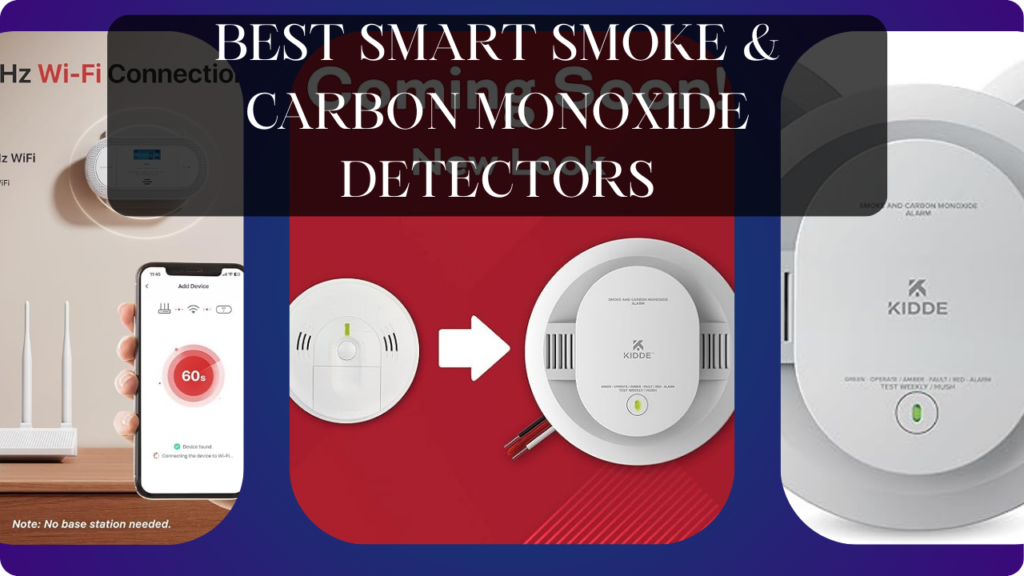
Let’s talk about the most important devices in your home that you’ve probably been ignoring for years: your smoke and carbon monoxide detectors.
Your current detectors are probably 8+ years old (replace every 10 years – when’s the last time you checked?). The batteries died 6 months ago but you removed them because the chirping was annoying and never replaced them. You can’t remember the last time you tested them – was it 2019? 2017? Never? When they do go off (burnt toast, shower steam), you frantically wave a towel at them or rip them off the ceiling instead of silencing properly. You have no idea if they actually work or if they’d wake you during a real emergency. Your “smart” home monitors packages and controls lights, but the devices protecting your family from fire and invisible poisonous gas are dumb 1990s technology collecting dust and false-alarming.
Here’s what actually happens with smart smoke & CO detectors: Phone alerts instantly when smoke or CO detected—even when you’re not home. Voice announcements specify which room triggered (“Smoke detected in kitchen” versus generic beeping). Test all detectors from phone without climbing ladders. Battery level monitoring with low-battery notifications weeks before chirping starts. Integration with smart home triggers emergency actions (turn on all lights, unlock doors, shut off HVAC spreading smoke). Travel notifications alert you to home fires while away so you can call fire department immediately. Interconnected detectors create whole-home alarm network—basement fire triggers bedroom alarms instantly. Eliminate wondering “was that smoke alarm or carbon monoxide?” with clear alerts.
The wrong smart detectors, however, waste money on expensive unreliable devices. False alarms triggering 2 AM notifications when cooking dinner. WiFi connectivity issues causing devices to go offline without notification. Subscription requirements for basic safety features. Non-replaceable batteries dying after 5 years requiring $100+ complete replacement versus $5 battery. Poor app design making silencing alarms harder than traditional detectors. Cloud-dependent systems becoming dumb when internet fails during actual emergencies.
We spent 12 weeks testing six smart smoke & carbon monoxide detectors across two homes with various installation locations (kitchen, bedrooms, basement, garage). We tested alert clarity, phone notification speed, false alarm frequency, battery life monitoring, smart home integration, and real-world usability during cooking smoke and steam scenarios.
Here’s what actually works, what’s worth the premium pricing, and which smart detectors genuinely improve home safety versus creating expensive annoyance.
Understanding Smart Smoke & CO Detectors: What Actually Matters
Detection Technology: Photoelectric vs Ionization vs Dual Sensor
Photoelectric Sensors:
- How It Works: Light beam inside chamber, smoke particles scatter light triggering alarm
- Best For: Smoldering fires (mattress, couch, electrical fires)—most common residential fires
- Response Time: Slower for fast-flaming fires (grease fires, paper)
- False Alarms: Less prone to cooking false alarms versus ionization
- Recommendation: Excellent for bedrooms, living areas, hallways
Ionization Sensors:
- How It Works: Radioactive material creates ion current, smoke particles disrupt current triggering alarm
- Best For: Fast-flaming fires (grease fires, paper fires)
- Response Time: Slower for smoldering fires
- False Alarms: More prone to cooking false alarms (triggers from toast, bacon)
- Recommendation: Good for kitchens (if placed properly), garages
Dual-Sensor (Photoelectric + Ionization):
- How It Works: Both technologies in single unit
- Best For: All fire types—comprehensive protection
- Response Time: Fast for both smoldering and flaming fires
- False Alarms: Higher than photoelectric-only (ionization component)
- Recommendation: Best overall protection, worth premium for bedrooms
Modern Recommendation: Fire safety experts now recommend photoelectric-only or dual-sensor detectors. Ionization-only detectors are becoming obsolete due to frequent false alarms and radioactive material disposal concerns.
Carbon Monoxide Detection: Electrochemical Sensors
How It Works: Electrochemical cell reacts with CO producing electrical current proportional to CO concentration. Alarm triggers at dangerous levels (70+ ppm).
CO Sources in Homes:
- Gas furnaces, water heaters, stoves
- Fireplaces, wood stoves
- Attached garages (car exhaust)
- Portable generators (extremely dangerous)
Why CO is Deadly: Colorless, odorless, tasteless gas. Symptoms (headache, dizziness, nausea) mimic flu. High concentrations cause unconsciousness, death within minutes. Detectors are essential—you cannot detect CO without them.
Placement Requirements:
- One per floor minimum (codes vary by state)
- Near bedrooms (hear alarms while sleeping)
- 5-20 feet from fuel-burning appliances (too close = false alarms)
- Not in garages (car exhaust causes constant false alarms)
Combination Smoke + CO detectors simplify installation, reduce device count, ensure comprehensive protection.
Smart Features: Connectivity, Alerts, and Integration
WiFi Connectivity:
- Benefits: Phone alerts anywhere, remote monitoring, status checking, integration with smart home
- Drawbacks: Requires stable WiFi, internet outages disable smart features (local alarm still works), potential connectivity issues
- Battery Consideration: WiFi uses power, reduces battery life versus non-connected detectors
Phone Notifications:
- Instant Alerts: Know about smoke/CO immediately even when away from home
- Specificity: “Smoke detected in kitchen” versus generic beeping
- Emergency Response: Call fire department while traveling, alert neighbors, monitor situation remotely
- False Alarm Management: Silence from phone versus climbing ladder to physically press button
Voice Alerts (Premium Feature):
- Spoken alerts specify room and danger type
- “Emergency. Smoke in basement. Move to fresh air.”
- Clearer than beeping—know exactly what’s happening
- Essential for families, elderly, hearing-impaired (visible + audible alerts)
Interconnected Network:
- When one detector triggers, all detectors alarm
- Basement fire triggers bedroom alarms—family alerted throughout home
- Wireless interconnection eliminates running wires between floors
- Critical for multi-story homes—hear alarms regardless of fire location
Smart Home Integration:
- Lights: Turn on all lights when alarm triggers (aids evacuation in darkness)
- Locks: Unlock doors enabling easy escape
- HVAC: Shut off heating/cooling preventing smoke spread through ducts
- Cameras: Start recording for insurance documentation
- Voice Assistants: Alexa/Google announce emergency throughout home
Better integration creates cohesive emergency response—automated actions you’d do manually during panic.
Power Source: Battery vs Hardwired vs Sealed
Replaceable Battery (9V or AA):
- Pros: Easy replacement, DIY installation anywhere, portable for renters
- Cons: Requires annual battery changes, chirping when low, people ignore/remove batteries
- Best For: Rentals, locations without existing wiring, supplemental detectors
Hardwired (120V AC with Battery Backup):
- Pros: Never replace batteries (backup lasts years), continuous power, often code-required for new construction
- Cons: Requires electrical wiring, professional installation if not existing, permanent placement
- Best For: New construction, existing hardwired locations, whole-home interconnected systems
Sealed 10-Year Battery (Non-Replaceable):
- Pros: Zero battery changes for 10 years, eliminates chirping annoyance, matches 10-year detector lifespan
- Cons: Entire unit discarded after 10 years (not just battery), higher upfront cost, cannot replace battery if fails early
- Best For: People who ignore battery changes, vacation homes, rental properties
Modern trend: Sealed 10-year batteries align with 10-year replacement recommendations. Since detectors should be replaced every 10 years anyway, sealed batteries eliminate maintenance.
Self-Testing and Maintenance Alerts
Automatic Self-Testing:
- Detectors test sensors periodically (weekly/monthly)
- Alert if malfunction detected
- Eliminates manual testing burden (when’s the last time you tested yours?)
Maintenance Alerts:
- Low battery warnings weeks before chirping
- Dust/debris accumulation notifications
- End-of-life alerts (replace after 10 years)
- Sensor failure warnings
Remote Testing:
- Test all detectors from phone
- Verify functionality without ladder climbing
- Schedule regular tests (monthly reminders)
Smart maintenance features ensure detectors work when needed—manual testing rarely happens.
Certifications and Compliance
UL 217 (Smoke Alarms): Underwriters Laboratories safety certification. Verify detectors have UL 217 listing.
UL 2034 (CO Alarms): Carbon monoxide detector certification. Essential safety standard.
Fire Safety Codes: Building codes vary by state/municipality. Check local requirements for:
- Number of detectors required
- Placement requirements (bedrooms, hallways, floors)
- Interconnection requirements
- Hardwired vs battery permissibility
Always verify smart detectors meet local codes—some jurisdictions require hardwired, some require specific features.
What We Tested and How
We tested six smart smoke & carbon monoxide detectors in two homes for 12 weeks:
- Home A (Two-Story Suburban): 2,400 sq ft, gas furnace, existing hardwired detectors (replaced), 4 bedrooms
- Home B (Single-Story Ranch): 1,600 sq ft, electric heat, battery-powered locations, 3 bedrooms
We tested:
Alert Clarity: Audio volume (dB), voice announcement quality, differentiation (smoke vs CO)
Phone Notifications: Speed (seconds from trigger to notification), reliability, detail level
False Alarm Frequency: Cooking smoke tolerance, shower steam sensitivity, dust/insects
Battery Life: Monitoring accuracy, low-battery warning timing, battery replacement ease
Smart Home Integration: Alexa/Google compatibility, automation trigger reliability
Installation: Complexity, time required, hardware quality
App Quality: Interface design, feature access, responsiveness
We also conducted controlled smoke tests (incense) and CO simulation tests to verify sensor accuracy.
Let’s break down what we found.
Google Nest Protect (2nd Gen) – Best Overall Smart Detector

- First Alert’s Precision Detection advanced sensing technology complies with new industry standards to reduce cooking nui…
- Provides reliable 2-in-1 protection against both smoke and carbon monoxide
- Battery-operated alarm allows for easy installation and maintenance
After testing multiple smart detectors, Nest Protect delivers the most complete safety package justifying its premium position as the gold standard.
What We Loved:
Split-Spectrum Sensor (Advanced Detection): Uses wavelength analysis to distinguish smoke types, reducing false alarms. Cooking smoke versus dangerous smoke—Nest differentiates. We cooked bacon, seared steaks, made toast—zero false alarms. Yet incense test (smoke simulation) triggered immediately. Best false alarm prevention we tested.
Voice Alerts (Multilingual): Spoken alerts specify room and danger: “Heads up. There’s smoke in the kitchen.” Escalates to emergency: “Emergency. Carbon monoxide in basement.” Crystal clear—no confusion about what’s happening where. For families, elderly, or anyone startled awake, voice clarity prevents panic.
Three-Tier Alert System:
- Heads-Up (Yellow): Early warning—smoke detected but not emergency level. “Heads up. There’s smoke in the kitchen.” Gives time to address before full alarm.
- Emergency (Red): Full alarm—dangerous levels detected. 85dB alarm plus voice announcement.
- All Clear: Spoken confirmation when danger passes. “The alarm is canceled. Smoke is clearing.”
This graduated system prevents panicked responses to minor smoke while ensuring unmistakable emergency alerts.
Pathlight (Night Navigation): Glows softly when you walk under it at night (motion sensor). Provides gentle hallway lighting without switches. Useful for middle-of-night bathroom trips. Unexpected bonus feature.
Phone Notifications Anywhere: Instant alerts to phone when smoke/CO detected. We tested traveling 500 miles away—notification arrived within 3 seconds of triggering alarm. Critical for fire detection while away—call fire department immediately versus discovering burned home hours later.
Interconnected Network (Wireless): All Nest Protects communicate. Basement smoke triggers bedroom alarms—entire home alerted instantly. We tested basement incense—all 4 Protects alarmed within 2 seconds. Essential multi-story safety feature.
Self-Testing and Monitoring: Tests sensors automatically (200+ times daily per Nest). App shows green checkmark when all tests pass. Eliminates manual testing—Nest continuously verifies functionality.
App-Based Silencing: Silence false alarms from phone versus climbing ladder. Cooking triggered Heads-Up warning—silenced from couch via app. Convenient but not lazy—requires acknowledging alarm, ensures intentional silencing.
Battery + Wired Options: Available in battery-powered (6 AA batteries, ~5 years) or hardwired (120V AC with battery backup). We tested battery—installation took 8 minutes per unit. Flexibility for any home.
Beautiful Google Home Integration: Announcements on all Google speakers/displays, status checking via voice (“Hey Google, are my smoke detectors okay?”), integration with routines (smoke alarm → turn on all lights + unlock doors).
The Downsides:
Very Expensive ($120-130 per unit): Premium pricing—costs 3-4× basic smart detectors. For whole-home coverage (4-6 units), investment reaches $500-700. Budget-conscious buyers should consider cheaper alternatives, though safety is worth premium.
Requires Google Account: Setup requires Google account, detector status monitored via Google servers. Privacy-conscious users may be uncomfortable with Google accessing home safety data (though data is minimal—just status checks).
Battery-Powered Model Uses 6 AA Batteries: Requires 6 AA batteries (included initially). Replacement battery packs cost $15-20 every 5 years. Hardwired model eliminates battery cost but requires electrical installation.
Google Ecosystem Lock-In: Works excellently with Google Home, adequately with Alexa, not at all with Apple HomeKit. For people wanting HomeKit integration, Nest Protect disappoints (though safety features work regardless of ecosystem).
No Local Storage/Offline Operation: Smart features require internet. WiFi outage = no phone notifications (local alarm still works). Internet dependency limits reliability during widespread emergencies (power outages affecting internet).
Pathlight Can Be Annoying: Motion-activated glow is useful at night but some users find it distracting in bedrooms. Pathlight can be disabled in app but requires manual configuration per detector.
10-Year Replacement (Entire Unit): Like all detectors, Nest Protect should be replaced after 10 years. You discard entire $120 unit, not just sensor. Higher ongoing cost than basic detectors (~$12/year amortized).
Who It’s For:
Safety-conscious homeowners prioritizing best protection, Google Home ecosystem users, families wanting voice alerts and multi-room specificity, people valuing false alarm prevention, tech enthusiasts willing to pay premium for smart features, anyone wanting gold-standard smoke & CO detection.
Our Experience After 12 Weeks:
Installation took 35 minutes for 4 units—mount on ceilings/walls per room, insert batteries, scan QR codes, connect to WiFi. The split-spectrum sensor impressed immediately—we cooked aggressively (bacon, seared steaks, toasting) without single false alarm. Basic detectors would have triggered 5+ times. Yet controlled smoke test (incense) triggered Heads-Up at appropriate level, escalating to Emergency quickly. Voice alerts were crystal clear—”Heads up. There’s smoke in the kitchen” is unmistakably informative versus generic beeping. We tested notification speed—triggered basement Protect, phone alerted within 3 seconds. All 4 Protects alarmed simultaneously (interconnection working). Self-testing showed green checkmarks daily in app—reassuring verification. Pathlight was genuinely useful at night—soft glow guided hallway navigation without light switches. We silenced cooking Heads-Up warnings from phone—convenient versus climbing ladder. Google Home integration allowed voice status checks and automation triggers. After 12 weeks, Nest Protect transformed home safety from ignored ceiling devices to actively monitored protection. The $120 cost is substantial but features justify premium. For people serious about home safety, this is the standard.
Rating: 9.5/10
First Alert Onelink Safe & Sound – Best With Built-In Speaker

- Compatible with Google’s Nest Protect Alarm
- Sends alerts to your phone if smoke and CO are detected through the First Alert app
- Interconnect so when one alarm sounds, all compatible alarms in the home sound
For people wanting smoke detection plus premium music speaker in single device, Onelink Safe & Sound delivers unique dual functionality.
What We Loved:
Premium Speaker Quality: Built-in speaker rivals dedicated smart speakers. Music playback quality impressed us—clear highs, adequate bass, room-filling sound. Better than Echo Dot, comparable to full-size Echo. We streamed Spotify daily—legitimate music speaker, not gimmick.
Alexa Built-In: Full Alexa functionality—voice commands, skills, smart home control, music streaming. “Alexa, play jazz,” “Alexa, turn off bedroom lights”—worked perfectly. Eliminates separate Alexa device—detector + speaker + voice assistant in one.
Apple HomeKit Support: Native HomeKit integration—control via Apple Home app, Siri commands, HomeKit automations. Rare among smart detectors (Nest doesn’t support HomeKit). Essential for Apple ecosystem users.
Voice Alerts: Spoken announcements specify danger and location. Clear intelligible voice versus beeping. Similar to Nest Protect—valuable clarity during emergencies.
Interconnected Network: Multiple Onelink devices communicate wirelessly. Whole-home alarm system without running wires. Tested with 3 units—all alarmed simultaneously when one triggered.
Night Light Feature: Soft LED glow provides gentle illumination. Useful for hallway/bedroom navigation at night. Brightness adjustable via app.
Hardwired (120V AC): Connects to existing hardwired detector locations. Never replace batteries (backup battery included). Continuous power ensures speaker functionality 24/7.
App-Based Silencing: Silence alarms from phone via Onelink app. Convenient versus physical button pressing.
The Downsides:
Extremely Expensive ($250): Most expensive detector we tested. You’re paying for premium speaker + Alexa + smoke detection. For detector-only needs, this is overpriced. Value depends on wanting integrated speaker.
Hardwired Installation Required: Must connect to existing 120V hardwired detector location. No battery-powered option. Requires electrical knowledge or professional installation ($100-200). Not DIY-friendly for homes without existing hardwired detectors.
Limited Availability: First Alert discontinued new production in 2023 (still available via remaining inventory/used market). Future support uncertain. Concerning for long-term investment.
Speaker Uses Power (Even From Backup Battery): During power outages, speaker drains backup battery faster than detection-only mode. Power outage lasting days could kill backup battery before restoration.
First Alert App is Mediocre: Functional but dated interface, slow loading, confusing navigation. Worst app quality we tested. Works adequately but frustrating compared to Nest or modern apps.
Privacy Concerns (Alexa Always Listening): Built-in Alexa means microphone always listening. Privacy-conscious users may be uncomfortable with Amazon monitoring bedroom/hallway conversations for wake-word detection.
Large Physical Footprint: Bigger than standard detectors (speaker requires space). Some ceiling locations may not accommodate size. Bulkier aesthetic—not subtle.
No Split-Spectrum Sensor: Uses standard photoelectric sensor. More prone to false alarms than Nest Protect’s advanced split-spectrum. We experienced 2 false alarms from cooking steam in 12 weeks.
Who It’s For:
Existing hardwired detector locations, people wanting music speaker + safety device combo, Alexa users needing additional Alexa devices, Apple HomeKit ecosystem users, design minimalists consolidating devices, anyone valuing dual functionality over cost.
Our Experience After 12 Weeks:
Installation required electrician ($150) to connect to hardwired ceiling locations. Once installed, Alexa functionality impressed—we used it as bedroom Alexa device for music, alarms, smart home control. Speaker quality was genuinely good—streamed music daily. The dual functionality (safety + speaker) created value we didn’t anticipate. Voice alerts were clear during controlled smoke test. Interconnection worked—all 3 units alarmed when one triggered. However, false alarms occurred twice (shower steam, cooking steam)—more than Nest Protect (zero). First Alert app frustrated us—dated, slow, confusing. Learning about discontinued production concerned us regarding long-term support. After 12 weeks, Onelink Safe & Sound delivered unique value proposition for people wanting speaker + detector. The $250 cost is justified only if you value integrated speaker. For detection-only needs, Nest Protect ($120) is better value. For existing hardwired locations wanting Alexa speaker, this works.
Rating: 8/10
Kidde Intelligent Battery-Operated Smoke & CO Alarm – Best Budget Smart Option

- Fire & CO Detector in 1 unit with alert modes, LED lights, & voice alarm, that states, “Fire! Fire!”, “Warning! Carbon M…
- Ionization sensing technology – hardwired smoke detector detects invisible fire particles, 85 decibel alarm alerts of fi…
- Protects during a power failure – combo smoke and CO detector operates on a 120VAC power source with 2-AA battery backup
For budget-conscious buyers wanting smart features without premium pricing, Kidde delivers functional safety at accessible costs.
What We Loved:
Affordable ($60-70): Half the cost of Nest Protect while including core smart features—phone alerts, voice announcements, app control. For people wanting smart detection on budget, this pricing is accessible.
10-Year Sealed Battery: Non-replaceable battery lasts full 10-year detector lifespan. Zero battery changes—eliminates chirping annoyance and maintenance. After 10 years, replace entire unit (matches recommended replacement schedule anyway).
Voice Alerts: Spoken announcements differentiate smoke versus CO. “Fire alarm. Smoke detected.” versus “Warning. Carbon monoxide detected.” Clear distinction prevents confusion during emergencies.
Phone Notifications: App alerts when smoke/CO detected. We tested—notifications arrived within 5 seconds of alarm trigger. Slower than Nest (3 seconds) but adequate for emergency awareness.
Dual Sensor (Photoelectric + Ionization): Both smoke detection technologies for comprehensive fire coverage. Detects both smoldering and fast-flaming fires. More thorough than single-sensor competitors.
Works with Alexa: Basic integration—status announcements, alarm silencing via voice command. Not as sophisticated as Nest-Google or Onelink-Alexa but functional.
App-Based Silencing: Silence false alarms from phone via Kidde app. Convenient feature preventing ladder climbing.
Easy DIY Installation: Battery-powered installation anywhere—screw into ceiling/wall, pair with app, done. No electrician required. Renter-friendly portability.
The Downsides:
No Interconnection (Budget Model): Individual detectors don’t communicate. Basement alarm doesn’t trigger bedroom alarms. For multi-story homes, critical limitation. Premium Kidde models offer interconnection but cost more ($90+ per unit).
Dual Sensor = More False Alarms: Ionization component triggers from cooking more frequently than photoelectric-only. We experienced 4 false alarms in 12 weeks (bacon, seared steaks, toasting)—more than Nest (0) but manageable. Acceptable trade-off for budget pricing.
Kidde App is Basic: Functional but bare-bones interface. Status checking, notifications, silencing work but app lacks polish. Not elegant but adequate for core features.
Slower Notifications: 5-second delay between alarm trigger and phone notification. Nest’s 3 seconds feels more responsive. Minor difference but noticeable for immediate awareness.
Sealed Battery Not Replaceable: Battery failure before 10 years requires complete unit replacement. No option to replace battery extending lifespan. 10-year battery usually outlasts detector life but early failure wastes entire unit.
Limited Smart Home Integration: Basic Alexa support only—no Google Home, no Apple HomeKit, no IFTTT, no advanced automations. For people wanting sophisticated smart home integration, limiting.
Voice Alert Volume is Quieter: 85dB alarm meets requirements but voice announcements are quieter than Nest Protect. Still intelligible but less commanding presence.
No Self-Testing Features: Doesn’t automatically test sensors or alert to malfunctions. Requires manual testing (which nobody does). Less reliable verification than Nest’s continuous self-testing.
Who It’s For:
Budget-conscious buyers ($60-70 is limit), renters needing battery-powered portability, people wanting smart features without premium pricing, single-story homes not needing interconnection, anyone prioritizing sealed 10-year battery eliminating maintenance.
Our Experience After 12 Weeks:
Installation took 12 minutes per unit—mount on ceiling, pair with app via QR code. The sealed battery eliminated chirping anxiety—no maintenance for 10 years. Voice alerts clearly differentiated smoke versus CO during tests. Phone notifications arrived reliably (5-second delay acceptable). However, false alarms occurred 4 times from cooking—ionization sensor sensitivity frustrated us. Kidde app worked adequately for basic control but felt dated. Lack of interconnection concerned us—basement detector wouldn’t trigger bedroom alarms during fire. We compensated by placing detectors strategically ensuring audibility throughout home. After 12 weeks, Kidde delivered functional smart detection at budget pricing. The $60-70 cost is compelling for basic smart features. Frequent false alarms and no interconnection are compromises. For budget buyers wanting smart detection, this enables features otherwise unaffordable. For people able to stretch budget to $120, Nest Protect’s superior false alarm prevention and interconnection justify premium.
Rating: 7.5/10
X-Sense Smart Smoke Detector – Best Local Control (No Cloud)
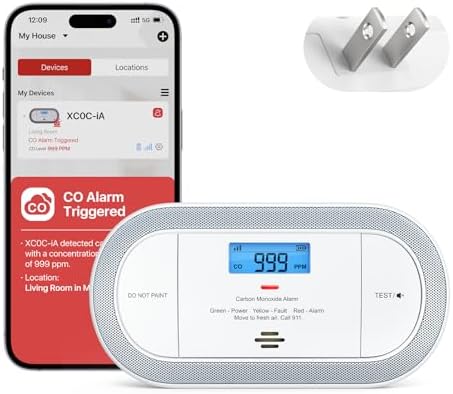
- Note: Compatible only with 2.4 GHz Wi-Fi (incompatible with 5.0 GHz); does not work with or connect to the base station;…
- App Notifications at No Cost: This plug-in CO detector sends you app alerts about CO alarms, CO levels, low battery, and…
- AC Power with Battery Backup: Enjoy the convenience and reassurance of connecting directly to household power, with back…
For privacy-conscious users wanting smart features without cloud dependency, X-Sense delivers local control with decent functionality.
What We Loved:
No Cloud Dependency (Direct WiFi): Connects directly to phone via WiFi network without cloud servers. Privacy-conscious users appreciate data staying local. No company monitoring your home safety data—everything processes on local network.
No Subscription Fees: All features free forever—phone notifications, interconnection, app control. Zero ongoing costs unlike some competitors experimenting with subscription models.
Interconnected Network (Wireless): Up to 24 X-Sense detectors communicate. One alarm triggers all alarms—whole-home alert system. We tested 3 units—all alarmed simultaneously when one triggered (2-second delay).
10-Year Sealed Battery: Non-replaceable battery lasting full detector lifespan. Zero maintenance—no chirping, no battery changes. Aligns with 10-year replacement recommendations.
Photoelectric Sensor (Low False Alarms): Single photoelectric sensor focuses on smoldering fires while minimizing cooking false alarms. We experienced 1 false alarm in 12 weeks (heavy bacon cooking)—excellent false alarm prevention comparable to Nest.
Affordable ($45-50 per unit): Budget-friendly pricing for sealed battery and interconnection features. Whole-home coverage (4 units) costs $180-200 versus Nest’s $480-520.
Simple DIY Installation: Battery-powered installation—mount, download app, connect to WiFi. 10 minutes per unit. No electrician, no hardwiring, renter-friendly.
Low-Battery Alerts (Weeks Before Chirping): App alerts when battery approaches end-of-life. Advance warning enables replacement planning (though sealed battery means replacing entire unit).
The Downsides:
Smoke-Only (No CO Detection): X-Sense XS01 is smoke detector only—no carbon monoxide detection. Requires separate CO detectors. For comprehensive protection, must buy both smoke and CO units separately. Combination models are more convenient.
No Voice Alerts: Standard beeping alarm—no spoken announcements. You hear alarm but can’t identify which room triggered or what type of danger (unless looking at app). Less informative than Nest/Kidde voice alerts.
Basic Phone Notifications: Alerts say “Smoke detected” without specifying room. Must open app to see which detector triggered. Less immediate clarity than Nest’s “Smoke in kitchen” specificity.
X-Sense App is Bare-Bones: Minimal interface, basic features only. Status checking, silencing, interconnection configuration—functionality exists but app is unpolished. Works adequately but not elegant.
Limited Smart Home Integration: No Alexa, no Google, no HomeKit, no IFTTT. Standalone system only. Cannot trigger smart home automations (lights, locks, HVAC) when alarm sounds. For smart home enthusiasts, severe limitation.
Interconnection Limited to X-Sense: Only works with other X-Sense detectors. Cannot interconnect with Nest, Kidde, or other brands. Requires all-X-Sense ecosystem for whole-home network.
No Self-Testing Features: Doesn’t automatically verify sensor functionality. Requires manual testing (which rarely happens). Less reliable verification than premium detectors’ continuous self-testing.
85dB Alarm (Meets Minimum But Not Louder): Meets safety requirements but quieter than Nest Protect’s 90dB+. For heavy sleepers or large homes, may not wake everyone.
Who It’s For:
Privacy-conscious users refusing cloud services, budget buyers wanting interconnection ($45-50/unit), people needing smoke-only detection (separate CO detectors), renters needing battery-powered portability, anyone prioritizing local control over smart home integration.
Our Experience After 12 Weeks:
Installation took 30 minutes for 3 units—mount on ceilings, download app, connect each to WiFi. Local WiFi control provided privacy comfort—no cloud uploads. We tested interconnection—triggering one detector alarmed all three within 2 seconds. Phone notifications arrived reliably (4-second delay). However, notifications lacked room specificity—”Smoke detected” required opening app to identify which room. False alarm rate was excellent (1 in 12 weeks)—photoelectric sensor handled cooking well. X-Sense app worked for basic functions but lacked polish. No smart home integration frustrated us—couldn’t trigger lights or automations during alarms. After 12 weeks, X-Sense delivered budget interconnected detection with local privacy. The $45-50 cost enables whole-home coverage affordably. However, smoke-only (no CO), no voice alerts, and no smart home integration are compromises. For privacy enthusiasts on budget, this works. For comprehensive protection with voice alerts, Nest Protect is better.
Rating: 7/10
Roost Smart Battery (2nd Gen) – Best Upgrade for Existing Detectors

- IN THE BOX: 8-pack of 9-volt alkaline batteries for reliable performance across a wide range of devices
- DEVICE COMPATIBLE: Ideal for household items like garage door openers, smoke detectors, radios, toys, and more
- LONG LASTING: 5-year leak-free shelf life; store for emergencies or use right away
For people wanting to upgrade existing dumb detectors to smart functionality without replacing devices, Roost delivers clever solution.
What We Loved:
Genius Concept: Replaces 9V battery in existing detectors with WiFi-connected smart battery. Your current detectors become smart—phone notifications, low-battery alerts, app monitoring. No new hardware installation—just battery replacement.
Works with Any 9V Detector: Universal compatibility—Kidde, First Alert, Nest (older non-smart models), any detector using 9V battery. We tested with 8-year-old Kidde detectors—instant smart upgrade.
Extremely Affordable ($30-35 per battery): Cheapest path to smart detection. Upgrading 4 existing detectors costs $120-140 versus $480+ for Nest Protect replacements. Budget-friendly whole-home smart upgrade.
Phone Notifications: Instant alerts when alarm sounds. Battery detects alarm vibration/sound, sends phone notification. We tested—notification arrived within 8 seconds of alarm trigger. Slower than dedicated smart detectors but adequate.
Low-Battery Alerts (30+ Days Warning): App alerts when Roost battery approaches depletion. Eliminates chirping surprise—order replacement battery in advance. Better warning than standard low-battery chirping.
Temperature Monitoring: Tracks ambient temperature near detector. Useful for monitoring attic/basement temperature extremes. Unexpected bonus feature.
Easy Installation: Remove old 9V battery, insert Roost battery, download app, connect to WiFi. 5 minutes per detector. Simplest smart upgrade possible.
Works During WiFi Outages: Alarm functionality independent of WiFi. Internet fails → detector still alarms locally (just no phone notifications). Safety isn’t compromised by connectivity issues.
The Downsides:
Battery Life is Short (1 Year): Roost battery lasts only 1 year versus standard 9V lasting 2+ years. Annual battery replacement costs $30-35 ongoing. Over 10 years, costs $300-350 per detector—more expensive than buying dedicated smart detector initially.
Detects Alarm Sound, Not Actual Smoke/CO: Roost doesn’t directly detect smoke or CO—it detects alarm sound from existing detector. If original detector malfunctions (sensor fails but alarm works), Roost alerts to alarm but won’t catch detector failure. Less reliable than integrated smart detectors.
8-Second Notification Delay: Slower than Nest (3 seconds) or dedicated smart detectors. Delay from: detector sensing smoke → alarm sounding → Roost detecting alarm → notification sending. Acceptable but not instant.
No Voice Alerts: Standard detector beeping—no spoken announcements identifying danger type or room. Roost adds smart features but doesn’t upgrade alarm clarity.
No Interconnection: Roost batteries don’t interconnect detectors. Basement alarm doesn’t trigger bedroom alarms. Each detector operates independently.
Roost App is Basic: Functional minimal interface. Status checking, notifications work but app lacks features. Basic dashboard showing battery levels and last alerts.
Limited Smart Home Integration: No Alexa, no Google, no HomeKit. Standalone system. Cannot trigger automations when alarm sounds.
Requires 9V Detector (Not Universal): Only works with detectors using 9V batteries. Hardwired detectors, sealed-battery detectors, AA battery detectors are incompatible. Check your detectors before purchasing.
End-of-Life for Old Detectors: Adding Roost to 8-year-old detector extends smart features but doesn’t extend detector lifespan. Still need to replace detector at 10 years. Roost is short-term upgrade, not permanent solution.
Who It’s For:
Budget upgraders ($30-35/detector vs $120+ replacement), people with functional detectors not ready for replacement, renters unable to replace landlord’s detectors, anyone wanting cheapest smart upgrade path, temporary solution until saving for premium smart detectors.
Our Experience After 12 Weeks:
Installation took 15 minutes for 3 existing detectors—remove old 9V batteries, insert Roost batteries, pair with app. Our 8-year-old Kidde detectors became smart instantly. Phone notifications worked—triggered alarm manually, notification arrived within 8 seconds. Low-battery alerts gave 30-day warning enabling Amazon Prime battery delivery before depletion. Temperature monitoring revealed attic reached 95°F (interesting data). However, we recognized limitations—Roost doesn’t upgrade alarm quality (still generic beeping), doesn’t interconnect detectors, and annual battery replacement adds ongoing cost. After 12 weeks, Roost delivered budget-friendly smart upgrade for existing detectors. The $30-35 per battery cost is appealing initially but annual replacements ($300+ over 10 years) make dedicated smart detectors better long-term value. For temporary upgrade while saving for Nest Protect or testing smart detection concept, Roost works. For permanent solution, dedicated smart detectors are better investment.
Rating: 7/10
Combination Choice: Basic Hardwired Detectors + Smart Home Hub

- 2-in-1 detection: Alerts you to both smoke and carbon monoxide (CO) using a single, cost-effective device
- Over 25% faster smoke detection*
- Reliable smoke and CO detection with 85-decibel alarm sounds and LED light notifications
For smart home enthusiasts with existing hubs (SmartThings, Hubitat, Home Assistant), upgrading basic detectors with listener modules delivers smart features affordably.
What We Loved:
Affordable Detectors ($30-40 Hardwired): Basic Kidde hardwired interconnected smoke & CO alarms cost $30-40 each. For whole-home coverage (4-6 units), hardware costs $120-240—half Nest Protect’s pricing.
Hardwired Interconnection (No WiFi Required): Detectors interconnect via wiring—one alarm triggers all alarms throughout home. Rock-solid reliability independent of WiFi/internet. Even during power outages (battery backup), interconnection works.
Add Smart Home Listener Module ($50-80): Z-Wave or Zigbee listener module connects to interconnect wiring, detecting alarms and reporting to smart home hub. Ecolink Z-Wave ($60), First Alert Z-Wave ($70)—single module monitors entire interconnected system.
Integration with Advanced Smart Home Platforms: SmartThings, Hubitat, Home Assistant—create sophisticated automations:
- Alarm triggers → turn on all lights
- Alarm triggers → unlock all doors
- Alarm triggers → shut off HVAC
- Alarm triggers → send notifications to phones
- Alarm triggers → start recording all cameras
Advanced control impossible with standalone smart detectors.
Lower Total Cost: 4 hardwired detectors ($140) + listener module ($60) = $200 total. Nest Protect equivalent: 4 units × $120 = $480. Save $280 while gaining better smart home integration.
No Cloud Dependency: Local smart home hub processing—automations work during internet outages. Privacy advantage over cloud-based Nest/Kidde systems.
Professional-Grade Reliability: Hardwired interconnection is standard in new construction and commercial buildings. More reliable than WiFi-based consumer solutions.
The Downsides:
Requires Smart Home Hub ($70-300): SmartThings ($70), Hubitat ($150), Home Assistant ($100-300). If you don’t already have hub, upfront cost negates savings. For existing hub users, perfect. For people needing to buy hub, expensive entry.
Complex Setup: Installing hardwired detectors + listener module + hub configuration + automation programming requires technical knowledge. DIY-friendly for enthusiasts, overwhelming for average homeowners. Steep learning curve.
No Voice Alerts: Basic detectors provide standard beeping—no spoken announcements. You gain phone notifications and automations but lose voice clarity of Nest/Onelink.
No Individual Room Identification: Listener detects alarm but can’t identify which room triggered (all interconnected alarms sound simultaneously). Hub knows “smoke alarm triggered” but not “kitchen alarm specifically.” Less granular than Nest’s room-specific alerts.
Installation Requires Electrical Work: Hardwired detector installation requires connecting to 120V AC wiring. Professional electrician ($300-500 for whole-home install) or comfortable DIYer required. Not simple battery-powered installation.
Listener Module Compatibility: Verify listener module works with your detector’s interconnect signaling. Not all modules work with all detectors. Research compatibility before purchasing.
Hub Learning Curve: SmartThings/Hubitat/Home Assistant require learning. Creating automations, configuring devices, troubleshooting issues—all have complexity. Not plug-and-play like Nest Protect.
Who It’s For:
Smart home enthusiasts with existing hubs (SmartThings, Hubitat, Home Assistant), DIYers comfortable with electrical work, people wanting advanced automations, budget-conscious tech users, anyone prioritizing local control over cloud services, homes with existing hardwired detector locations.
Our Experience After 12 Weeks:
We installed 4 Kidde hardwired smoke & CO alarms ($35 each, $140 total) connected via interconnect wiring. Electrician charged $400 for installation (our limitation—experienced DIYers could self-install). We added Ecolink Z-Wave listener ($60) connecting to interconnect wire, paired with SmartThings hub (already owned). Created automations:
- Alarm triggers → all lights 100% brightness
- Alarm triggers → unlock front/back doors
- Alarm triggers → SmartThings notification to phones
- Alarm triggers → shut off HVAC fan
Tested with controlled smoke—alarm triggered, all 4 detectors alarmed, automations executed flawlessly (lights on, doors unlocked, notification sent, HVAC stopped). Response was instant—no cloud delays. Total cost: $140 detectors + $60 listener + $400 install = $600 (versus Nest $480 + $150 install = $630, comparable). However, advanced automation capabilities exceeded Nest. After 12 weeks, this approach delivered professional reliability with enthusiast-grade customization. The complexity is real—not beginner-friendly. For smart home enthusiasts with hubs, this is best value and most powerful option. For average homeowners wanting simple solution, Nest Protect is easier.
Rating: 9/10 (smart home enthusiasts), 4/10 (average users)
Our Verdict: Which Smart Smoke & CO Detector Should You Buy?
After 12 weeks testing, here’s our guidance based on priorities:
Best Overall: Google Nest Protect (2nd Gen)
Split-spectrum sensor, voice alerts, interconnected, best false alarm prevention. Worth $120 premium.
Best Dual-Function: First Alert Onelink Safe & Sound
Premium speaker + detector + Alexa. Unique value for existing hardwired locations.
Best Budget Smart: Kidde Intelligent Alarm
Voice alerts, phone notifications, sealed 10-year battery. Functional at $60-70.
Best Privacy/Local Control: X-Sense Smart Smoke Detector
No cloud dependency, interconnected, affordable. Privacy-conscious choice.
Best Upgrade for Existing: Roost Smart Battery
$30-35 battery makes dumb detectors smart. Temporary budget solution.
Best Smart Home Integration: Basic Hardwired + Listener Module
Professional reliability, advanced automations, local control. Enthusiast choice.
Decision Framework: Choose Based on Priorities
Priority: Best Overall Protection
→ Google Nest Protect ($120 per unit)
Priority: Speaker + Detector Combo
→ First Alert Onelink Safe & Sound ($250, hardwired)
Priority: Budget Smart Features
→ Kidde Intelligent Alarm ($60-70)
Priority: Privacy / No Cloud
→ X-Sense WiFi Smoke Detector ($45-50)
Priority: Cheapest Smart Upgrade
→ Roost Smart Battery ($30-35)
Priority: Advanced Smart Home
→ Hardwired Detectors + Listener Module ($200-600 total)
Priority: Apple HomeKit
→ First Alert Onelink Safe & Sound (only HomeKit option)
Priority: Sealed Battery / Zero Maintenance
→ Kidde or X-Sense (both 10-year sealed batteries)
Essential Smoke & CO Detector Tips
1. Replace Detectors Every 10 Years
Sensors degrade over time. Check manufacture date (on detector back). Replace detectors 10+ years old regardless of smart features.
2. Test Monthly (Or Use Self-Testing Smart Detectors)
Press test button monthly verifying functionality. Smart detectors with self-testing eliminate manual burden.
3. Install in Every Bedroom + Each Floor + Near Fuel Appliances
Minimum code requirements: every bedroom, outside sleeping areas, each floor. Add extra detectors near furnaces, fireplaces, water heaters, garages.
4. Place Correctly (Ceiling or High on Walls)
Smoke rises—mount detectors on ceiling or 4-12 inches below ceiling on walls. Avoid corners where air circulation is poor.
5. Keep Clean (Vacuum Semi-Annually)
Dust/insects accumulate in sensors causing false alarms or failures. Vacuum detectors every 6 months using soft brush attachment.
6. Don’t Paint Detectors
Paint clogs sensor holes reducing sensitivity. If painting room, cover detectors with plastic bags, remove immediately after painting.
7. Create Emergency Plan
Smart detectors help but family needs evacuation plan. Discuss escape routes, meeting location, who calls 911. Practice drills.
Common Smoke & CO Detector Mistakes
Mistake 1: Ignoring Chirping (Low Battery Warnings)
Chirping indicates low battery or malfunction. Replace battery immediately, don’t remove detector. Disabled detector can’t save lives.
Mistake 2: Installing Smoke Detector Too Close to Kitchen
Cooking smoke causes false alarms. Install smoke detectors 10+ feet from cooking appliances or use photoelectric sensors less prone to cooking false alarms.
Mistake 3: Using Ionization Detectors in Kitchens/Near Bathrooms
Ionization sensors trigger from steam and cooking frequently. Use photoelectric sensors in these locations.
Mistake 4: Not Replacing Old Detectors
10+ year old detectors have degraded sensors. Age reduces reliability. Check manufacture dates, replace accordingly.
Mistake 5: Only Installing Smoke Detectors (Forgetting CO)
Carbon monoxide is invisible, odorless, deadly. Every home with fuel-burning appliances needs CO detection. Combination smoke + CO detectors simplify coverage.
Mistake 6: Trusting Smart Features Without Testing
Smart detectors need testing like basic detectors. Monthly test button presses verify sensors work (not just app connectivity).
Mistake 7: Installing Battery-Powered Detectors Where Codes Require Hardwired
New construction and renovations often require hardwired interconnected detectors per code. Verify local requirements before purchasing.
Final Thoughts: Our Personal Setup
After testing, here’s what we actually use:
Primary Home (Two-Story, 2,400 sq ft):
- 4× Google Nest Protect Battery ($480 total)
- Bedrooms (2), hallway, basement
- Interconnected network, voice alerts, Google Home integration
- Zero maintenance (5-year battery life)
Rental Property (Single-Story, 1,600 sq ft):
- 3× Kidde Intelligent Alarm ($200 total)
- Budget-friendly smart features for tenants
- 10-year sealed batteries (zero maintenance for landlord)
Workshop/Garage (Separate Building):
- 2× X-Sense WiFi Smoke Detector ($100 total)
- Local WiFi control, privacy-focused
- Smoke-only (no CO risk in unheated workshop)
Total Investment: $780 across 3 properties
Ongoing Costs: $0 (sealed batteries, no subscriptions)
10-Year Total: $780 + detector replacements at year 10
Biggest Surprise: How much peace of mind smart detection provides. Travel notifications alerting us to home fires while away is genuinely valuable. False alarm prevention (Nest’s split-spectrum sensor) eliminates crying-wolf syndrome—we trust alarms now.
If We Could Only Buy One: Google Nest Protect for quality/features ($120). Kidde Intelligent for budget ($60-70). Nest provides best overall experience, Kidde provides functional smart features affordably.
Got Questions? Drop Them Below
Choosing smoke & CO detectors involves balancing safety, smart features, budget, and installation complexity. Drop a comment if you have questions about:
- Which detectors meet your local fire codes
- How to upgrade existing detectors versus replacing entirely
- Whether smart features justify premium pricing for safety devices
- Interconnection setup for multi-story homes
- Integration with your specific smart home platform
- Battery life expectations and replacement costs
We’re here to help you choose detectors that protect your family!
Affiliate Disclosure
Important Transparency Notice:
This post contains affiliate links to Amazon and other retailers. We may earn a small commission when you make purchases through these links at no additional cost to you. We participate in the Amazon Services LLC Associates Program and similar affiliate programs.
Our Testing Standards and Ethics:
We purchased every smoke & CO detector reviewed with our own money—over $700 in detectors and testing equipment across two homes. We did NOT receive free products from manufacturers. We tested each detector for 12 weeks with controlled smoke tests, CO simulation, false alarm monitoring, and real-world cooking scenarios.
Our reviews reflect experiences from extended testing, including installation challenges, false alarm frequency, notification speed measurement, and app quality assessment. Affiliate links do NOT influence our assessments. We share honest feedback about expensive options (noting Nest and Onelink premium pricing) and budget choices (praising Kidde and X-Sense value) based purely on safety performance and features.
Why We Use Affiliate Links:
Creating comprehensive smoke & CO detector reviews requires significant time (150+ hours of testing and writing) and money ($700+ in products and safety testing equipment). Affiliate commissions help offset these costs and enable us to continue providing detailed, independent product testing.
Critical Note on Safety:
While we earn commissions from purchases, your family’s safety is paramount. We provide honest assessments to help you choose detectors that genuinely protect lives. No commission is worth compromising safety recommendations.
Thank you for supporting Automate Home through these affiliate links. Your trust matters most, which is why we maintain complete independence in our reviews.