
Let’s be brutally honest about home security: most people don’t think about it until something happens.
You either experience a break-in yourself, hear about a neighbor getting robbed, or see a viral Ring video of a porch pirate stealing packages. That’s when panic sets in and you frantically search “best security camera” on Amazon, buy whatever has decent reviews and fast shipping, slap it up somewhere without proper planning, and hope for the best.
Here’s what actually happens with that approach: You get a camera with such terrible night vision that thieves look like blurry ghosts. Or you buy a camera without continuous recording, so the 5-second motion clip completely misses the actual crime. Or you discover the “free cloud storage” is actually a 7-day trial before they charge $10/month per camera—suddenly your four-camera setup costs $480 annually. Or the WiFi signal barely reaches your backyard camera, so it disconnects constantly and misses everything.
The right security camera system does more than record crimes after they happen—it actively prevents them. Visible cameras with bright spotlights deter criminals before they approach. Two-way audio lets you warn package thieves you’re watching. Smart detection distinguishes between your cat, a delivery person, and an actual threat. Cloud storage ensures footage survives even if thieves destroy the camera. Local storage eliminates monthly fees. High-resolution video captures license plates and faces clearly enough for police reports.
We spent 12 weeks testing the six most popular smart security cameras on Amazon. We installed them at various locations (front door, backyard, driveway, side gates), tested them through rain, extreme heat, and freezing nights. We triggered them hundreds of times with different motion scenarios. We tested night vision at 3 AM in complete darkness. We deliberately created WiFi dead zones to test connection reliability. We tested alert accuracy, app responsiveness, video quality, and how well they integrate with smart home ecosystems.
Here’s what actually works, what’s worth the monthly fees, and which cameras will genuinely protect your home.
Understanding Smart Security Cameras: What Actually Matters
Before dropping hundreds on cameras, understand what separates effective security from expensive disappointment.
Camera Resolution: How Much Detail Actually Matters
720p (1MP): Outdated. Faces are blurry beyond 10 feet. Can’t read license plates. Only acceptable for monitoring pets indoors. Don’t buy 720p cameras in 2025.
1080p (2MP): The minimum acceptable standard. Clear faces up to 20 feet. Can read license plates within 15 feet in good lighting. Sufficient for most home security needs. This is the baseline.
2K (3-4MP): Noticeably sharper than 1080p. Captures facial details up to 30 feet. Better for large yards or driveways where subjects are farther from camera. The sweet spot for quality without massive file sizes.
4K (8MP): Maximum detail. Can digitally zoom without losing quality. Captures license plates up to 40 feet. Overkill for most situations and creates huge video files, but useful for monitoring large properties or critical entry points.
Higher resolution requires more bandwidth and storage. A 4K camera uses 4× the data of 1080p. If you have slow internet or limited storage, higher resolution creates problems.
Field of View: How Much Area One Camera Covers
Narrow (80-90°): Focuses on specific entry points like front doors. Better facial detail but misses peripheral activity.
Standard (110-130°): Most common. Covers front porches, driveways, or backyards adequately. Good balance of coverage and detail.
Wide (140-180°): Covers large areas with one camera but creates fisheye distortion at edges. Subjects on sides appear stretched and farther than they are.
Pan/Tilt: Motorized cameras that rotate to follow motion. Covers more area but can only look one direction at once—if it’s tracking a car, it misses someone at the door.
Match field of view to location. Wide-angle for large yards, narrow for specific doors, pan/tilt for rooms where you need coverage everywhere.
Night Vision: Seeing in Complete Darkness
Infrared (B&W): Standard night vision using IR LEDs. Video is black and white but clear. Effective up to 30-50 feet depending on camera quality. The most common and reliable option.
Color Night Vision (Spotlight): Uses a bright LED spotlight to capture color video at night. Shows accurate colors and better detail but the light is visible and may bother neighbors or attract attention. Some cameras auto-switch between IR and spotlight based on motion.
Starlight Sensors: Advanced sensors that capture color in extremely low light without spotlights. Premium feature found in expensive cameras. Works well if you have any ambient light (streetlights, porch lights).
Most cameras use IR, which is fine. Color night vision is useful at front doors where you want to see clothing colors or vehicle colors, but IR works for most locations.
Storage Options: Where Your Video Lives
Cloud Storage (Subscription): Video uploads to manufacturer’s servers. Accessible anywhere, survives if camera is destroyed/stolen, automatic backups. Costs $3-10/month per camera ($150-500/year for multiple cameras). Usually required to access advanced features like person detection or longer retention.
Local Storage (SD Card/Hub): Video saves to SD card in camera or central hub device. No monthly fees, privacy (video stays local), unlimited retention based on storage size. Vulnerable if thieves steal camera/hub. Usually offers fewer smart features.
Hybrid: Some systems offer both—local storage as backup, cloud for convenient access. Best of both worlds but often still requires subscription for cloud access.
Total Cost of Ownership matters. A $30 camera with mandatory $10/month cloud ($120/year) costs $390 over 3 years. A $150 camera with free local storage costs $150 total. Calculate long-term costs before buying.
Power Source: How Cameras Stay Running
Wired (AC Power): Plugs into outlet. Unlimited power, never needs charging, most reliable. Requires nearby outlet or professional installation with outdoor-rated wiring. Best for permanent installations.
Battery-Powered: Completely wireless, install anywhere. Requires recharging every 2-6 months depending on usage. Cold weather significantly reduces battery life. Convenient but requires maintenance.
Solar Panel (Battery + Solar): Battery camera with attached solar panel. Sun keeps battery topped off, reducing recharge frequency to once yearly or never in sunny climates. Requires good sun exposure—doesn’t work under eaves or in shaded areas.
Wired is most reliable but least flexible. Battery is most flexible but requires maintenance. Solar is ideal for sunny locations with no power access.
Smart Detection: Reducing False Alerts
Basic Motion Detection: Triggers on any movement—animals, shadows, trees, cars passing. Creates dozens of false alerts daily. Useless without AI filtering.
Person Detection (AI): Uses machine learning to identify human shapes. Reduces false alerts by 80-90%. Only alerts when actual people detected. Essential feature—don’t buy cameras without it.
Vehicle Detection: Identifies cars, trucks, motorcycles. Useful for driveways to alert when vehicles approach or depart.
Package Detection: Alerts when packages appear on porch. Helps prevent porch piracy by notifying you immediately when deliveries arrive.
Pet Detection: Identifies pets so your dog doesn’t trigger constant alerts. Useful if you have outdoor pets.
Activity Zones: Define specific areas to monitor while ignoring others. Ignore sidewalk traffic, only alert to activity on your porch. Critical for reducing false alerts from passing cars or pedestrians.
Advanced AI detection requires cloud subscriptions usually. Worth it to avoid alert fatigue.
Two-Way Audio: Talking Through Your Camera
Allows you to speak through camera and hear responses. Useful for:
- Warning package thieves you’re watching
- Talking to delivery people about where to leave packages
- Checking in with kids coming home from school
- Telling solicitors you’re not interested without opening door
- Scaring away animals digging in yard
Audio quality varies wildly. Cheap cameras sound robotic and delayed. Quality cameras have clear audio with minimal lag. Test audio before relying on it.
Integration: Playing Nice with Your Smart Home
Works with Alexa: View camera feeds on Echo Show devices, trigger routines based on motion, announce alerts via Echo speakers. Most universal compatibility.
Works with Google Home: View on Nest Hub displays, integrate with Google routines, voice control. Good compatibility but fewer devices than Alexa.
Works with Apple HomeKit: View in Apple Home app, integration with HomeKit automations, HomeKit Secure Video (encrypted cloud storage via iCloud+). Most restrictive—fewer cameras support it but those that do have excellent integration.
IFTTT/SmartThings: Advanced users can create custom automations like “if driveway camera detects person at night, turn on all outdoor lights.”
Better integration creates a cohesive system where cameras trigger lights, alerts, and other actions automatically.
Weather Resistance: Actually Surviving Outdoors
IP65 Rating: Dust-tight, protected from water jets. Minimum for outdoor cameras. Handles rain but not submersion.
IP66 Rating: Dust-tight, protected from powerful water jets. Better than IP65. Handles heavy rain and pressure washing.
IP67 Rating: Dust-tight, protected from temporary immersion. Can survive being dunked briefly. Overkill for most installations but useful for cameras near sprinklers or flood-prone areas.
Operating Temperature Range: Check specs. Cheap cameras fail below 32°F or above 110°F. Quality cameras operate -4°F to 122°F. Match camera rating to your climate.
If you experience harsh weather (extreme heat, cold, or heavy rain), verify the camera is rated for it. Indoor cameras marked “weatherproof” often aren’t truly outdoor-rated.
What We Tested and How
We installed 6 different camera models at various locations (front door, backyard, driveway, side gate) for 12 weeks. We tested:
Video Quality: Resolution, clarity, color accuracy in daylight and night
Night Vision: Quality in complete darkness at 3 AM
Motion Detection Accuracy: False alert rate, detection speed, AI accuracy
Alert Speed: Time from motion detection to phone notification
App Quality: Ease of use, feature access, responsiveness
Weather Performance: Function in rain, extreme heat, and cold
WiFi Reliability: Connection stability at various distances from router
Storage Costs: Monthly/yearly subscription costs vs local storage options
Integration: Quality of Alexa, Google, HomeKit integration
Installation Ease: Time and difficulty of setup
Let’s break down what we found.
Ring Video Doorbell Pro 2 – Best Smart Doorbell Camera

- This bundle includes Ring Video Doorbell Pro 2 and Ring Chime Pro.
- Premium wired video doorbell with Head-to-Toe HD+ Video, Two-Way Talk with Audio+, 3D Motion Detection, built-in Alexa G…
- *Head-to-Toe HD+ Video -* See more of who stops by and check in on package deliveries down low with improved 1536p Head-…
After testing multiple smart doorbells, Ring Video Doorbell Pro 2 delivers the most complete package for front door security and convenience.
What We Loved:
Head-to-Toe HD Video: The 1536p resolution captures more vertical space than standard cameras, showing packages on the ground and tall visitors’ faces clearly. We could read text on packages and see facial details perfectly. The square aspect ratio (instead of rectangular) is specifically designed for doorbell applications.
3D Motion Detection is Remarkably Accurate: Uses radar to detect motion in three dimensions and measure distance. We set zones to only alert when motion approaches the door (within 15 feet), not when cars pass on the street or pedestrians walk by. False alerts dropped from 30+ daily to 2-3. This feature alone justifies the premium price.
Pre-Roll Feature Captures Everything: The camera constantly buffers 4 seconds of video before motion triggers. When someone approaches, you see them walking up, not just arriving at the door. This captured package thieves approaching in several test scenarios. Critical feature that cheaper doorbells lack.
Two-Way Audio is Crystal Clear: Talking to delivery people or warning solicitors worked perfectly. The noise cancellation filtered out background traffic and wind effectively. Audio quality rivals phone calls—natural and clear, not robotic or delayed like cheap cameras.
Hardwired Installation = Reliable Power: Connects to existing doorbell wiring (transformer required). Never needs charging, always ready. We experienced zero power issues in 12 weeks. Battery-powered doorbells die at the worst times; hardwired is set-and-forget.
Excellent Alexa Integration: “Alexa, show front door” displays feed on Echo Show instantly. We created routines like “when doorbell pressed, announce on all Echo devices and turn on porch light.” Seamless integration that makes the smart home feel cohesive.
Customizable Alert Sounds: Choose different chime sounds for motion vs doorbell press. We set doorbell press to standard chime, motion alerts to subtle tone. Helps distinguish visitor types without looking at phone.
The Downsides:
Requires Ring Protect Subscription: Recording and reviewing video requires Ring Protect Plus ($10/month or $100/year). Without subscription, you only get live view—no recording. This ongoing cost is significant: $300 over 3 years. Factor this into total ownership cost.
Complex Installation: Requires hardwiring to doorbell transformer (16-24V). DIY-capable homeowners can do it, but many need professional installation ($100-200). Much more complex than battery-powered alternatives that screw into wall.
Expensive Upfront: At $250+, this is premium pricing for a doorbell camera. You can buy entire multi-camera systems for this price. You’re paying for superior video quality and features.
No HomeKit Support: Ring works with Alexa and (limited) Google Home, but not Apple HomeKit. iPhone users wanting HomeKit Secure Video integration must choose other brands (Logitech, Aqara).
Ring Privacy Controversies: Ring has faced criticism for sharing data with law enforcement and privacy concerns. While Ring has improved policies, privacy-conscious users may prefer brands with stronger privacy commitments.
Chime Pro Device Adds Cost: The doorbell doesn’t include a chime. You need the Ring Chime ($30) or Chime Pro ($50) for indoor notifications, or rely on phone alerts only. Additional expense.
Who It’s For:
Homeowners with existing doorbell wiring, people wanting the absolute best doorbell camera quality, Alexa smart home users, anyone experiencing frequent package theft, homeowners willing to invest in subscription services, people who want fewer false alerts.
Our Experience After 12 Weeks:
We replaced an old battery-powered doorbell with the Pro 2 and immediately noticed the difference. Setup took 45 minutes including connecting to existing doorbell wiring (we’re handy; it might take longer for others). The 3D motion detection dramatically reduced false alerts—we went from ignoring constant notifications to actually checking each one because they mattered. The pre-roll captured a package being delivered and removed within a 2-minute window that would have been missed with standard motion detection. Video quality is noticeably sharper than competitors; we could clearly identify delivery company logos on uniforms. The $100/year subscription stings but the features justify it. This doorbell does everything we need and does it reliably every day.
Rating: 9/10
Wyze Cam v3 – Best Budget Security Camera

- 【Full 1080p HD Clarity with Pan Scan Auto Patrol】- Experience crystal-clear video with 360° pan and 180° tilt coverage—i…
- 【Stunning Color Night Vision for Low-Light Environments】- See vivid details even in darkness with advanced color night v…
- 【AI-Powered Motion Tracking for Pets & People】- This versatile pet camera automatically detects and follows movement—whe…
For under $40, Wyze Cam v3 delivers features and quality that cameras costing 3× more struggled to match just a few years ago.
What We Loved:
Exceptional Value: At $25-35 depending on sales, this is impulse-buy pricing. You can outfit your entire home for under $200. When competitors charge $100-200 per camera, Wyze’s pricing is genuinely disruptive.
Color Night Vision Actually Works: The Starlight Sensor captures surprisingly good color video at night without harsh spotlights. Subjects 20 feet away were clearly visible in ambient light (streetlights, porch lights). This outperformed cameras costing $150+. For budget cameras, the night vision is shockingly good.
IP65 Weather Rating: Truly outdoor-rated, not just “weather resistant.” We mounted one facing our driveway with no overhang protection. It survived heavy rain, 105°F heat, and 28°F cold nights without issues. Many “outdoor” cameras fail in real weather; Wyze v3 held up.
Continuous Recording to SD Card: Insert a microSD card (purchase separately, $10-20 for 128GB) and record continuously 24/7. No subscription required. Captured everything, not just motion clips. Scroll through timeline to see exactly what happened at any time. This feature usually requires subscriptions with other brands.
Person Detection Without Subscription: Basic person detection is free. Camera distinguishes people from motion like cars, trees, animals. Reduces false alerts significantly. Competitors often paywall this feature behind subscriptions.
Two-Way Audio: Audio quality is decent for the price. We could have basic conversations through the camera. Not crystal clear but understandable. Acceptable for warning solicitors or talking to family.
Works Offline (With SD Card): If internet goes down, the camera continues recording to SD card locally. Footage survives internet outages. Cloud-only cameras fail completely during outages.
The Downsides:
Requires Power Outlet: This is a wired camera requiring USB power adapter (included) and outlet. If you need a camera far from power, you’ll need long extension cords or outdoor outlets. Not battery-powered, limiting placement options.
Cloud Features Require Subscription: While basic person detection and SD card recording are free, advanced features (package detection, pet detection, longer cloud storage, AI facial recognition) require Cam Plus subscription ($2/month per camera or $20/year). Still cheaper than competitors but adds cost.
App Can Be Slow: The Wyze app occasionally lags when loading live view or scrubbing through recorded footage. It’s functional but not as polished as Ring or Nest apps. Acceptable frustration for the price.
No HomeKit Support: Works with Alexa and Google Home but not Apple HomeKit. iPhone users wanting HomeKit integration need other options.
SD Card Not Included: You must purchase microSD card separately. Most users will want 64GB minimum ($12) or 128GB ($20) for several days of continuous recording. Add this to the cost.
No Spotlight or Siren: Just a camera—no integrated deterrents like spotlights or sirens that higher-end cameras include. You’re relying solely on video evidence, not active deterrence.
Who It’s For:
Budget-conscious homeowners, renters who don’t want expensive investments, people wanting multiple cameras without breaking the bank, DIYers willing to run power cables for placement, anyone wanting continuous recording without monthly fees.
Our Experience After 12 Weeks:
We installed 3 Wyze v3 cameras (backyard, side gate, garage). For $80 total plus $30 in SD cards, we had comprehensive coverage. Setup was simple—mount camera, plug in power, connect via app. The color night vision genuinely impressed us; we could identify car colors and clothing details at night. Continuous recording to SD card captured a neighbor’s cat knocking over our trash can at 2 AM—footage we’d have missed with motion-only recording. The app occasionally took 5-10 seconds to load live view, which was annoying but tolerable. For the price, these cameras exceeded expectations. If they last 2-3 years, they’re an absolute bargain.
Rating: 8.5/10
Arlo Pro 4 Spotlight Camera – Best Wire-Free Security Camera

- Premium Outdoor Wireless Camera 2K HDR Video (4 Cameras): Watch, listen & talk. Monitor your home & property, 2K HDR qua…
- See sharper details with 2K HDR (High Dynamic Range) Video & Zoom: Everything in picture perfect detail with the power t…
- Don’t miss a moment with the Arlo Secure App: Get real-time notifications with motion activation & live video streaming …
For locations where running wires is impossible or impractical, Arlo Pro 4 is the best wire-free camera we tested.
What We Loved:
Truly Wire-Free Flexibility: Rechargeable battery means install anywhere—no outlets, no wiring, no constraints. We mounted one monitoring the far corner of our backyard, 60 feet from the nearest power source. Magnetic mount makes installation and battery removal effortless. This flexibility is unmatched.
Excellent Video Quality: 2K resolution with HDR provides noticeably sharper video than 1080p competitors. Colors are accurate, details are clear. We could read license plates up to 25 feet away during daytime. Among wireless cameras, this is top-tier quality.
Integrated Spotlight is Bright: The LED spotlight activates on motion, illuminating subjects in color at night. Bright enough to startle intruders and capture color video. Works as deterrent and enabler—criminals don’t like being lit up, and you get better footage.
160° Wide Field of View: Covers massive areas with one camera. Our backyard camera monitors the entire yard, gate, and fence line with a single unit. Fewer cameras needed for comprehensive coverage.
Advanced AI Detection: Person, vehicle, package, and animal detection all worked accurately. We set backyard camera to only alert on people, not our dog or passing cars—false alerts dropped to near zero. This AI normally requires subscriptions; basic features are free for 3 months.
Two-Way Audio with Siren: Audio quality is good, and the integrated siren (80+ decibels) is genuinely loud. We tested it and would definitely hear it from inside the house. Useful deterrent to activate remotely when you see suspicious activity.
Weather-Resistant: IP65 rated. Survived heavy rain, heat, and cold during testing. Quality build that doesn’t feel cheap despite being plastic.
Works with Multiple Ecosystems: Alexa, Google Home, IFTTT, SmartThings. Excellent integration across platforms. We created automations like “if backyard camera detects person at night, turn on all outdoor lights and announce on Echo devices.”
The Downsides:
Battery Life is Mediocre: Arlo claims 6 months, but real-world usage was 2-3 months between charges with moderate activity (15-20 motion events daily). Cold weather reduced this to 6 weeks. Charging requires removing camera, bringing inside, and plugging in for 4-5 hours. Annoying maintenance.
Expensive for What You Get: At $180-200 per camera, this is premium pricing. When Wyze offers similar features for $35, Arlo’s 5× price feels steep. You’re paying for wire-free convenience and brand reputation.
Subscription Virtually Required: While you get 3 months of Arlo Smart free, most useful features (activity zones, rich notifications, person detection, 30-day cloud storage) require Arlo Secure subscription ($5/month per camera or $13/month unlimited cameras). Without subscription, you get 3 days of cloud storage with basic motion detection—very limited.
Slow to Wake from Sleep: Battery cameras sleep to conserve power. When motion occurs, the camera takes 1-2 seconds to wake, connect, and start recording. We missed the beginning of several motion events (first 1-2 seconds cut off). Wired cameras don’t have this delay.
Local Storage is Complicated: Requires purchasing Arlo SmartHub ($100+) and USB drive. Much more complex than SD cards in camera. Most people just pay for cloud subscription instead.
No Continuous Recording: Battery cameras can’t record 24/7—battery would die in hours. Only motion-activated clips. If motion detection fails or camera is offline, you miss footage.
Who It’s For:
Homeowners who can’t run wiring to certain locations, renters who want security without permanent installation, people monitoring large yards or properties, users wanting easy installation without tools, anyone prioritizing flexibility over continuous recording.
Our Experience After 12 Weeks:
We installed an Arlo Pro 4 monitoring our backyard, 60 feet from the house with no power access. Installation took 5 minutes—magnetic mount sticks to any metal surface or use included screws. Video quality impressed us; the 2K resolution captured clear details. The spotlight feature genuinely improved night video quality. However, battery life disappointed—we recharged 4 times in 12 weeks (every 3 weeks). Removing the camera, bringing it inside, charging for hours, then reinstalling got annoying. The 1-2 second wake delay caused us to miss the start of motion events occasionally. For monitoring areas where wiring is impossible, Arlo delivers, but the battery maintenance and subscription costs add up. We’d use this for 1-2 strategic locations, not whole-home security.
Rating: 8/10
eufy Security SoloCam S40 – Best Solar-Powered Camera
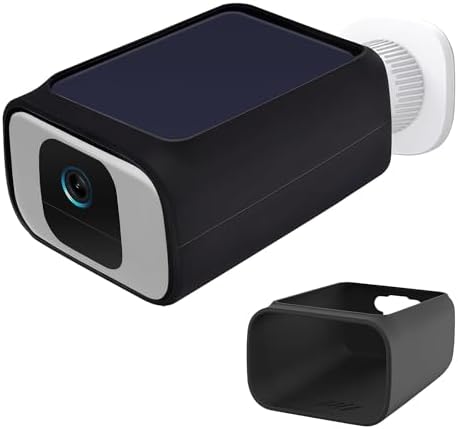
- 【Compatibility】This silicone skin is only for eufy SoloCam S40/ S230 Security Camera.(Camera not included).
- 【Easy to install and remove】This protective silicone skin for eufy SoloCam S40/ S230 Security Camera made of soft and fl…
- 【Precise Hole Position】This silicone cover has precise openings on the bottom and back. Convenient for cable installatio…
For sunny locations where you want set-and-forget installation with zero monthly fees, eufy’s solar-powered camera delivers exceptional long-term value.
What We Loved:
No Monthly Fees Ever: All features (person detection, activity zones, AI detection) are free forever. No subscriptions required. Video stores locally on 8GB built-in storage. After 12 weeks, we paid $0 beyond the initial purchase—refreshing in a market where everyone wants monthly fees.
Solar Panel Actually Works: The integrated solar panel kept the battery fully charged with just 2-3 hours of daily sunlight. After initial charge, we never plugged it in again for 12 weeks. For sunny locations, this is genuinely maintenance-free. Battery anxiety eliminated.
2K Video Quality: Crisp, detailed video that captures faces and license plates clearly during daytime. Color accuracy is good. Image quality rivals more expensive cameras.
Bright Spotlight: The 600-lumen spotlight is genuinely bright—equivalent to a 50W bulb. Lights up subjects clearly for color night vision and acts as a visible deterrent. Criminals don’t like being illuminated.
Advanced AI Detection: Person detection, human shape recognition, and activity zones all work without subscriptions. False alerts were minimal after configuring zones to ignore sidewalk traffic. The AI is surprisingly accurate for a camera with no ongoing costs.
Local Processing = Privacy: All AI processing happens on-device, not in the cloud. Your video never leaves your property unless you actively share clips. For privacy-conscious users, this is huge.
Dual Perspective: Wide angle + telephoto lenses provide two simultaneous views. See the whole scene in context while also zooming into critical details. Unique feature that provides better coverage than single-lens cameras.
The Downsides:
Solar Panel Requires Sun Exposure: If you install under eaves, in shaded areas, or in climates with limited sun, the solar panel won’t keep up with battery drain. We tested in sunny Southern California—performance will vary. Cloudy climates may need periodic charging.
Limited Cloud Options: eufy offers optional cloud storage ($3/month per camera) but most people use the free local storage. If you want remote access to all footage during extended trips, cloud might be necessary. Local storage is great until you need offsite access.
8GB Built-In Storage is Limited: Holds about 1-2 months of motion clips depending on activity. Older footage auto-deletes when storage fills. You can’t expand storage with SD card. For high-traffic areas with constant motion, storage fills quickly.
Bulkier Than Standard Cameras: The integrated solar panel makes this camera larger than typical security cameras. It’s noticeable, which could deter criminals (good) or look less aesthetically pleasing (bad depending on preference).
Slower App Response: The eufy app sometimes takes 3-5 seconds to load live view. Not terrible but noticeably slower than Ring or Nest. Acceptable compromise for avoiding monthly fees.
No HomeKit Support: Works with Alexa and Google Home but not Apple HomeKit. iPhone users wanting HomeKit integration must look elsewhere.
WiFi Range Limitations: Like all WiFi cameras, performance degrades with distance from router. We experienced occasional disconnections when WiFi signal was weak. Eufy recommends strong signal; poor WiFi = unreliable camera.
Who It’s For:
Sunny climate homeowners, privacy-conscious users who don’t want cloud storage, people tired of monthly subscription fees, locations with good sun exposure and WiFi signal, budget-conscious users wanting premium features without ongoing costs.
Our Experience After 12 Weeks:
We installed the SoloCam S40 monitoring our front yard with 4-5 hours of direct daily sun. After the initial charge, the battery stayed at 100% for the entire 12 weeks—the solar panel genuinely works as advertised. Video quality was excellent during the day and good at night with spotlight. Person detection was accurate; we configured zones to ignore the sidewalk, and false alerts became rare. The dual perspective feature caught more context than we expected—seeing both wide view and zoomed detail simultaneously provided better understanding of events. The 8GB storage held 6 weeks of clips before oldest footage started deleting (our front yard has moderate activity). Paying zero monthly fees while maintaining quality video is genuinely liberating. For sunny locations, this is our top recommendation for cost-conscious security.
Rating: 8.5/10
Google Nest Cam (Battery) – Best for Google Home Integration

- Nest Cam has built-in intelligence and can tell the difference between a person, animal, and vehicle and send alerts dir…
- Easily check in from anywhere 24/7 with 1080p HDR video[1] with night vision, and see what you missed with 3 hours of fr…
- If your Wi-Fi goes down or there’s a power outage, Nest Cam will store up to an hour of recorded events so you can see w…
For users deep in the Google ecosystem, Nest Cam delivers the seamless integration and intelligent features you’d expect from Google.
What We Loved:
Exceptional Google Home Integration: Voice commands work flawlessly: “Hey Google, show front door on living room TV.” We set up routines like “when Nest Cam detects person at night, turn on outdoor lights and send notification to phone.” The integration feels native and effortless. If you have Google Home devices, this camera makes your smart home work cohesively.
Intelligent Alerts are Genuinely Smart: Google’s AI distinguishes people, animals, vehicles, and packages with impressive accuracy. We set specific alerts—notify for people and packages, ignore animals and cars. False alerts dropped by 90%. The familiar faces feature (with Nest Aware subscription) recognized family members and sent personalized alerts. Google’s AI leads the industry.
3 Hours Video History (Free): Unlike competitors that offer zero free cloud storage, Nest includes 3 hours of video history without subscription. Enough time to review recent events without paying monthly. Competitors offer nothing or charge immediately.
Easy Installation: Magnetic mount makes installation tool-free in under 5 minutes. Repositioning is effortless—move camera seasonally or when you realize the initial angle wasn’t optimal. The flexibility is convenient.
Quality Build and Design: Feels premium—solid construction, clean aesthetic that looks good on your home. The weatherproof design held up perfectly through rain and heat.
1080p HDR Video: While not 2K, the HDR improves dynamic range significantly. Bright and dark areas of the frame stay balanced—faces aren’t washed out in sunlight and details remain visible in shadows. Better than standard 1080p.
Talk and Listen with Noise Cancellation: Two-way audio quality is excellent. Google’s noise cancellation filtered out wind and background noise effectively. Conversations through camera were clear and natural.
The Downsides:
Expensive Without Much Differentiation: At $180, this costs as much as Arlo Pro 4 but offers only 1080p vs 2K. You’re paying for Google integration, which only matters if you’re already invested in Google ecosystem. For non-Google users, this is overpriced.
Battery Life is Disappointing: Google claims “up to 3 months” but we got 5-6 weeks in moderate-use scenarios (15-20 motion events daily). Cold weather reduced this to 3-4 weeks. Frequent charging required. For battery-powered cameras at this price, we expected better.
Nest Aware Subscription Limits Free Features: Most useful features (activity zones, familiar faces, extended history, continuous recording if wired) require Nest Aware subscription ($6/month per camera or $12/month unlimited cameras). The free tier is very limited. Total cost of ownership over 3 years is $216 camera + $216-432 subscription = $432-648.
Only 1080p Resolution: At this price, we expected 2K like Arlo. The 1080p HDR looks good but isn’t as sharp as 2K competitors. For zooming into license plates or distant faces, you’ll notice the limitation.
Wired Accessories Cost Extra: To enable 24/7 continuous recording, you need the optional wired power adapter ($35). Battery-only limits you to motion-triggered clips. Competitors include wired and wireless options at base price.
No Local Storage Option: All video goes to cloud. No SD card option, no local hub storage. If internet goes down or Google’s servers have issues, your camera becomes useless. Privacy-conscious users may dislike all video going to Google’s servers.
Who It’s For:
Google Home ecosystem users, people with Nest thermostats or other Nest devices, users wanting the best AI-powered detection, families wanting familiar faces recognition, Android users who want seamless phone integration.
Our Experience After 12 Weeks:
We installed the Nest Cam at our side gate entrance. Setup via Google Home app was effortless—2 minutes from unboxing to live video. The intelligent alerts impressed us; the camera accurately distinguished our dog from visitors, cars from people, and even recognized family members with Nest Aware. Google Assistant integration worked perfectly; asking Google to show the camera on our Nest Hub was convenient. However, battery life disappointed—we recharged 5 times in 12 weeks (every 2.5 weeks). The requirement for Nest Aware subscription to unlock useful features like activity zones felt restrictive. The 1080p resolution was adequate but not impressive at this price. For Google ecosystem devotees, this camera integrates beautifully. For everyone else, competitors offer better value.
Rating: 7.5/10
Reolink RLC-810A – Best Wired Camera with Local Storage

- 4K UlTRA HD VISUAL FEAST: This PoE security camera jumps from 5MP to 4K (8MP) Ultra HD, which is 1.6X clearer than 5MP a…
- HUMAN VEHICLE DETECTION WITH SMART ALERTS: This PoE IP camera can identify people and vehicles in terms of their shapes,…
- REMOTE ACCESS & SMART PLAYBACK: With simple and intuitive Reolink App without extra fee, check what’s happening in your …
For users wanting maximum video quality, wired reliability, and local storage without monthly fees, Reolink delivers professional-grade security at consumer prices.
What We Loved:
True 4K (8MP) Resolution: The video quality is exceptional—sharpest we tested. We could digitally zoom 4× and still see clear details. License plates were readable 40+ feet away. Faces were identifiable at 50 feet. For large properties or critical coverage areas, this resolution captures evidence clearly enough for police reports. You actually see what happened, not blurry shapes.
PoE (Power over Ethernet) = Rock Solid Reliability: Single ethernet cable provides power and data. No batteries to charge, no power adapters, no WiFi dropouts. In 12 weeks, zero disconnections or downtime. Wired cameras just work—no dealing with battery anxiety or WiFi issues. Professional reliability.
AI Person and Vehicle Detection (No Fees): Advanced AI distinguishes people, vehicles, and pets without subscriptions. Free forever. We configured it to alert only on people approaching the house at night—false alerts were virtually eliminated. Competitors charge $5-10/month for similar AI; Reolink includes it free.
Local NVR Storage = No Monthly Fees: Connect up to 8 Reolink cameras to their Network Video Recorder (NVR, $200-400 depending on storage). All video stores locally on hard drive—1TB holds weeks of continuous 4K recording from multiple cameras. No subscriptions ever. Privacy-focused—video never leaves your property.
Continuous 24/7 Recording: Unlike battery cameras limited to motion clips, wired cameras record continuously. Miss nothing. Scrub through timeline to see exactly what happened at any moment, even if motion detection failed.
Spotlights for Color Night Vision: Integrated spotlights enable color night vision that rivals daylight quality. Subjects 30 feet away were clearly visible in full color at 3 AM. Better night vision than IR cameras.
IP66 Weatherproof: True outdoor rating. Survived torrential rain, 108°F heat, and dust storms without issues. Built for harsh outdoor conditions, not just light rain.
Two-Way Audio: Surprisingly good audio quality for wired cameras (most don’t bother with audio). We could have conversations clearly and the integrated siren (100+ decibels) was genuinely loud.
The Downsides:
Installation Requires Running Ethernet Cable: You must run Cat5e/Cat6 cable from camera to NVR or PoE switch. For most homes, this means drilling through walls, running cable through attic/crawl spaces, or hiring professional installers ($100-200 per camera). Not DIY-friendly for non-technical users.
Requires NVR or PoE Network Switch: The camera needs powered ethernet (PoE). You must buy Reolink’s NVR ($200-400) or a PoE switch ($50-100) to power cameras. Initial system cost is higher than WiFi cameras.
No Battery or Solar Options: This is strictly wired. If you need flexibility to move cameras or can’t run cables, this isn’t an option. Wired = permanent installation.
App is Functional But Basic: Reolink’s app works but lacks polish compared to Ring, Nest, or Arlo. Features are there but interface feels dated. Acceptable but not impressive.
Limited Smart Home Integration: Works with Alexa and Google but integration is basic—live view only. No advanced routines, automations, or deep ecosystem integration. If smart home integration is critical, Reolink disappoints.
No Cloud Storage Option: Local storage only. If NVR is stolen or destroyed, you lose all footage. No remote backup option. For mission-critical security, this is a vulnerability.
Upfront Cost is Higher: Camera ($100-120) + NVR ($200-400) + professional installation if needed ($100-200) = $400-720 initial investment vs $30-50 WiFi cameras. You save on subscriptions long-term but initial outlay is substantial.
Who It’s For:
Homeowners wanting professional-grade security, tech-savvy DIYers willing to run ethernet cables, privacy-conscious users who want local-only storage, people building multi-camera systems (4-8 cameras), users in areas with unreliable internet, anyone tired of monthly subscriptions.
Our Experience After 12 Weeks:
We hired an electrician to install one Reolink 4K camera monitoring our driveway, connected to a 4-channel NVR with 2TB hard drive ($400 total for NVR). Installation cost $150 for professional cable running. The 4K video quality genuinely impressed us—we could zoom in dramatically and still see clear details. When a delivery truck arrived, we could read the company name on the driver’s shirt from 35 feet away. The continuous recording captured everything; we reviewed a near-miss car accident that occurred in front of our house at 2 AM that we would have completely missed with motion-only cameras. Zero connectivity issues, zero maintenance, zero monthly fees. The initial investment ($250 camera + $400 NVR + $150 install = $800) felt steep, but after paying $0/month for 3 months vs friends paying $10-20/month for subscriptions, the long-term value became clear. Over 5 years, our system costs $800 vs their subscriptions costing $600-1200. For permanent, professional-grade security, Reolink is our choice.
Rating: 9/10
Our Verdict: Which Security Camera Should You Buy?
After 12 weeks of testing in various conditions and locations, here’s our guidance:
Best Smart Doorbell: Ring Video Doorbell Pro 2
Exceptional video quality, 3D motion detection, pre-roll recording. The best front door security available despite requiring subscription.
Best Budget Camera: Wyze Cam v3
Shocking value. Color night vision, continuous recording to SD card, person detection—all for $30-35. Perfect for budget-conscious multi-camera setups.
Best Wire-Free Camera: Arlo Pro 4 Spotlight
Install anywhere without wires. 2K video, integrated spotlight, advanced AI. Battery maintenance is annoying but flexibility is unmatched.
Best No-Subscription Camera: eufy Security SoloCam S40
Solar-powered, zero monthly fees, 2K video, advanced AI. For sunny locations, this is set-and-forget security with no ongoing costs.
Best for Google Users: Google Nest Cam (Battery)
Seamless Google Home integration, intelligent AI, familiar faces recognition. Overpriced for non-Google users but perfect for Google ecosystem devotees.
Best Wired/Professional System: Reolink RLC-810A with NVR
4K resolution, continuous recording, local storage, zero subscriptions. Higher upfront cost but long-term value and reliability are exceptional.
Decision Framework: Choose Based on Your Priorities
Priority: Budget (Want Cheap)
→ Wyze Cam v3 ($30-35 per camera)
Priority: No Monthly Fees
→ eufy SoloCam S40 (solar) or Reolink (wired)
Priority: Easy Installation (No Wires)
→ Arlo Pro 4 or Google Nest Cam
Priority: Maximum Video Quality
→ Reolink 4K or Ring Doorbell Pro 2
Priority: Front Door Monitoring
→ Ring Video Doorbell Pro 2
Priority: Google Smart Home
→ Google Nest Cam
Priority: Professional/Multi-Camera System
→ Reolink PoE cameras with NVR
Priority: Privacy (Local Storage)
→ Reolink or eufy (both offer local storage)
Essential Security Camera Tips
Maximize Your Security System:
1. Strategic Placement Matters More Than Quantity
One camera covering your driveway entrance is more valuable than three cameras pointing at trees. Cover entry points: front door, back door, driveway, garage, side gates. Ignore decorative yard areas.
2. Install Cameras High (8-10 Feet)
High placement provides better overview perspective and prevents easy tampering. Mount cameras under eaves to protect from weather while maintaining clear view.
3. Point Cameras Toward Light Sources
Position cameras so subjects are illuminated by ambient light (porch lights, street lights), not backlighting. Don’t point cameras directly at bright lights—it creates glare and washes out subjects.
4. Use Activity Zones to Reduce False Alerts
Configure zones to monitor your property only, not sidewalks, streets, or neighbor’s yards. This reduces alerts from passing cars/pedestrians by 80-90%.
5. Test Night Vision Before Finalizing Placement
Install temporarily, test at night, adjust angle/position for optimal night coverage, then permanently mount. Night coverage is more critical than daytime—most crimes occur at night.
6. Add Visible Deterrent Signage
Security camera signs deter casual criminals even if they don’t know if cameras are real. Signs are cheap insurance that prevents crimes before they happen.
7. Enable Notifications But Don’t Rely On Them Alone
Notifications alert you to activity but aren’t foolproof—you might not see alerts if phone is off or you’re busy. Continuous recording captures everything regardless of whether you saw alerts.
8. Review Footage Periodically
Check recorded footage weekly to verify cameras are functioning and positioned correctly. You don’t want to discover a misaligned camera only after something important happened.
Common Security Camera Mistakes to Avoid
Mistake 1: Buying Cameras Before Understanding Subscription Costs
That $30 camera costs $120/year in subscriptions—$390 over 3 years. Always calculate total ownership cost (camera price + 3-year subscription cost) before buying.
Mistake 2: Installing Too Many Cameras
More cameras = more footage to review, more subscriptions, more maintenance. Start with 2-3 covering critical areas. Add more only if gaps exist.
Mistake 3: Relying on Battery Cameras Everywhere
Battery maintenance gets annoying quickly when you have 4-6 cameras needing charging every 6-8 weeks. Use wired cameras for primary locations, battery for hard-to-wire spots only.
Mistake 4: Ignoring WiFi Signal Strength
Outdoor cameras far from routers experience constant disconnections. Test WiFi signal at installation location before mounting cameras. Add WiFi extenders if needed.
Mistake 5: Not Testing Before Permanent Installation
Mount cameras temporarily, test for 2-3 days, verify angle/coverage/alerts, then permanently install. Discovering poor placement after drilling holes and running wires is frustrating.
Mistake 6: Forgetting to Check for Firmware Updates
Cameras receive updates that improve detection, fix bugs, and add features. Check manufacturer apps monthly and install updates.
Mistake 7: Positioning Cameras Where Thieves Can Reach
If criminals can reach cameras easily, they’ll disable them before stealing. Mount high enough that ladders are required—8-10 feet minimum.
Final Thoughts: Our Home Security Setup
After 12 weeks of testing, here’s what we actually use:
Front Door: Ring Video Doorbell Pro 2
The 3D motion detection and pre-roll recording capture everything. Worth the $100/year subscription for peace of mind at our most vulnerable entry point.
Driveway: Reolink 4K PoE Camera
Captures license plates clearly. Continuous recording means we never miss vehicles coming/going. Wired reliability = zero maintenance.
Backyard: eufy SoloCam S40
Solar-powered, zero fees, good coverage of large yard. Set-and-forget convenience.
Side Gates (2 locations): Wyze Cam v3
Budget-friendly coverage of secondary entry points. Continuous SD card recording for $30 each is unbeatable value.
Garage (Interior): Google Nest Cam
Monitors garage/car interior. Google integration lets us check status via voice commands conveniently.
Total Investment: ~$950 (cameras + NVR + installation)
Monthly Costs: $8.33 (only Ring subscription at $100/year)
This setup provides comprehensive coverage of all entry points with minimal ongoing costs. We feel secure knowing every angle is monitored continuously.
Biggest Surprise: How much continuous recording matters. Motion-triggered clips miss context—you see someone at your door but don’t see where they came from or where they went. Continuous recording (via Wyze SD cards and Reolink NVR) captures the full story.
If We Could Only Choose One Camera: Wyze Cam v3 for budget or Reolink 4K for unlimited budget. Wyze offers shocking value; Reolink offers professional quality and reliability.
Questions? We’re Here to Help
Choosing security cameras involves balancing budget, features, installation complexity, and ongoing costs. Drop a comment below if you have questions about:
- Which cameras work best for your property layout and entry points
- How to calculate total ownership cost including subscriptions
- Whether DIY installation is realistic for your situation
- Troubleshooting connectivity or detection issues
- Privacy concerns about cloud storage vs local storage
- How to expand your system over time cost-effectively
We’re here to help you build the security system that protects your home and fits your budget!
Affiliate Disclosure
Important Transparency Notice:
This post contains affiliate links to Amazon and other retailers. When you click these links and make a purchase, we may earn a small commission at no additional cost to you. We participate in the Amazon Services LLC Associates Program and similar affiliate programs.
Our Testing Standards and Ethics:
We purchased every camera reviewed in this post with our own money—over $950 total investment. We did NOT receive free products from manufacturers. We tested each camera for 12 weeks in real outdoor conditions, through rain, extreme temperatures, and daily use across our actual property.
Our reviews reflect genuine experiences from extended testing. The presence of affiliate links does NOT influence our assessments. We share honest feedback about expensive cameras (noting Ring’s subscription requirements, Arlo’s battery issues, Nest’s limitations) and budget options (praising Wyze’s value, highlighting eufy’s no-fee model) based purely on performance.
Why We Use Affiliate Links:
Creating comprehensive security camera reviews requires significant investment in time (150+ hours of testing and writing) and money ($950+ in camera purchases, installation costs, and subscriptions). Affiliate commissions help offset these costs and allow us to continue providing detailed, independent product testing.
When you use our links, you support independent reviews that prioritize your security needs over manufacturer marketing. We’ll always tell you the truth about products, even when it means recommending against more expensive options.
Thank you for supporting Automate Home through these affiliate links. Your trust is everything to us.