
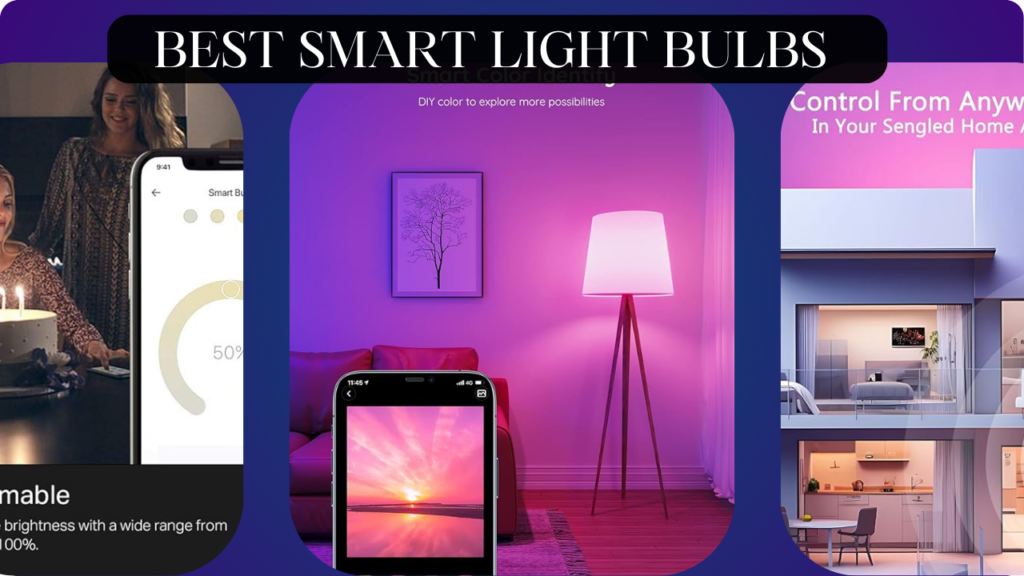
Let’s talk about something most people get completely wrong: smart lighting.
Most homeowners think smart lighting is just about turning lights on and off with your phone—a expensive gimmick that doesn’t justify the cost. So they stick with regular bulbs, manually flipping switches like it’s 1995, missing out on automations that genuinely improve daily life.
Here’s what actually happens when you install quality smart lighting: You wake up to lights that gradually brighten to simulate sunrise. Your home automatically adjusts lighting based on time of day—energizing whites for morning productivity, warm tones for evening relaxation. Motion sensors turn on pathway lights when you stumble to the bathroom at 3 AM. Vacation mode randomly illuminates rooms to deter burglars. Voice commands let you control everything hands-free while cooking. Energy monitoring shows you’re saving 60% on lighting costs.
The wrong smart bulbs, however, create frustration that makes you rip them out within weeks. Laggy responses that take 3-5 seconds. Bulbs that randomly disconnect from your network requiring constant re-pairing. Apps so poorly designed you’d rather just use the switch. Color accuracy so bad that “white” looks sickly blue-green. Brightness that claims 800 lumens but barely illuminates a closet.
We spent 10 weeks testing the most popular smart bulbs on Amazon across different ecosystems (Alexa, Google Home, Apple HomeKit, standalone apps). We installed them in living rooms, bedrooms, kitchens, outdoor fixtures, and lamps. We tested response times, color accuracy, brightness levels, app functionality, automation reliability, and long-term stability. We intentionally disconnected WiFi, reset routers, and simulated real-world network issues to see which bulbs handle problems gracefully.
Here’s what actually works, what’s worth the investment, and which smart bulbs will transform your home lighting.
Understanding Smart Light Bulbs: What Separates Great from Garbage
Before diving into specific products, let’s break down what actually matters when choosing smart lighting.
Connectivity: How Smart Bulbs Talk to Your Home
WiFi Direct (2.4GHz): Bulbs connect directly to your home WiFi network without requiring a hub. Most convenient for beginners, but can crowd your network and drain router resources if you install many bulbs. Works anywhere you have WiFi signal. Examples: Most affordable brands like Wyze, Kasa, Sengled.
Zigbee: Uses a mesh network protocol that requires a hub (like Philips Hue Bridge, Amazon Echo Plus, or SmartThings hub). Each bulb acts as a repeater, extending the network range. More reliable than WiFi, doesn’t crowd your router, supports more simultaneous devices. The professional choice for whole-home lighting. Examples: Philips Hue, Sengled (hub version), many professional brands.
Bluetooth: Connects directly to your phone without WiFi or hubs. Extremely limited range (30-40 feet), no remote control when away from home, minimal automation capability. Only suitable for single-room setups or people who literally just want phone control. We don’t recommend Bluetooth-only bulbs for serious smart homes.
Matter/Thread: The emerging standard promising universal compatibility across all ecosystems. Still rolling out in 2025 but represents the future of smart home devices. If you’re building a new system, Matter support is worth considering for future-proofing.
Brightness: Lumens Matter More Than Wattage
Traditional bulb thinking focuses on wattage (60W, 75W, 100W), but for LEDs, lumens measure actual light output:
450 lumens: Equivalent to old 40W bulbs. Suitable for accent lighting, lamps, ambient lighting.
800 lumens: Equivalent to 60W bulbs. The standard for most room lighting, table lamps, overhead fixtures.
1100 lumens: Equivalent to 75W bulbs. Bright room lighting, kitchens, workspaces.
1600+ lumens: Equivalent to 100W+ bulbs. Very bright task lighting, garages, large rooms.
Many cheap smart bulbs claim “60W equivalent” but only produce 600-700 lumens—noticeably dimmer than actual 60W bulbs. Always check actual lumen output, not “equivalent” claims.
Color Temperature: The White Spectrum Matters
2700K (Warm White): Yellowish warm light like traditional incandescent bulbs. Cozy and relaxing. Best for bedrooms, living rooms, evening ambient lighting.
3000K (Soft White): Slightly cooler than 2700K but still warm. Versatile middle ground. Good for living areas where you want comfort without too much yellow.
4000K (Neutral White): True white without warm or cool bias. Excellent for task lighting, kitchens, bathrooms, workspaces. Approximates midday sunlight.
5000-6500K (Cool White/Daylight): Bluish-white that mimics noon sunlight. Energizing and great for focus. Best for home offices, garages, detailed work areas.
Quality smart bulbs offer the full 2200K-6500K range and can shift throughout the day. Cheap bulbs often claim “tunable white” but only offer 2700K and 5000K with nothing in between—insufficient for natural circadian lighting.
Color Accuracy: RGB vs RGBW vs RGB+CCT
RGB Only: Uses red, green, and blue LEDs to create colors and white. The problem: RGB cannot create quality white light. It always looks off—either too blue, too green, or too dim. Avoid RGB-only bulbs.
RGBW: Adds a dedicated white LED alongside RGB. Better white quality than RGB-only, but the white is usually fixed at one color temperature (typically 2700K or 4000K). Limited white tuning.
RGB+CCT (RGB + Correlated Color Temperature): Uses RGB LEDs plus separate warm and cool white LEDs. This is the premium configuration that produces excellent color AND excellent tunable white light across the full spectrum. This is what you want.
The Hub Question: Do You Need One?
No Hub (WiFi Direct):
Pros: Simple setup, no additional purchase, works immediately
Cons: Clutters WiFi network, less reliable with many devices, limited range, can’t work during internet outages
Best For: Beginners with 1-10 bulbs, renters who want easy setup/removal, single-room installations
With Hub (Zigbee/Matter):
Pros: More reliable, supports 50+ devices easily, local control during internet outages, extended range via mesh network, more advanced automations
Cons: Hub costs $50-60, slightly more complex initial setup, another device to manage
Best For: Whole-home lighting (10+ bulbs), smart home enthusiasts, people building comprehensive automation systems
Ecosystem Compatibility: Who Plays Nice Together
Before buying, verify compatibility with your smart home ecosystem:
Amazon Alexa: Works with nearly everything. Most universal compatibility.
Google Home: Works with most major brands. Slightly less compatible than Alexa but still excellent.
Apple HomeKit: Much more restrictive. Requires specific certification. If you’re iPhone-centric, verify HomeKit compatibility before buying.
Samsung SmartThings: Good compatibility as a hub for Zigbee devices.
Most modern bulbs support multiple ecosystems, but always verify before purchasing.
What We Tested and How We Tested It
We purchased 6 different smart bulb brands and installed them throughout a 2,200 square foot home for 10 weeks. We tested:
Response Time: How quickly bulbs react to commands (voice, app, automation)
Color Accuracy: How colors and whites actually look compared to specifications
Brightness: Measured actual lumen output with a light meter
Reliability: Did bulbs stay connected or require frequent re-pairing?
App Quality: Is the control app intuitive or frustrating?
Automation: Do scheduled routines and triggers work consistently?
Power Outage Recovery: Do bulbs remember settings after power loss?
Integration Quality: How well do they work with Alexa/Google/HomeKit?
Energy Consumption: Actual wattage used vs claimed efficiency
Let’s break down what we found.
Philips Hue White and Color Ambiance – Best Overall Smart Bulb

- WHAT’S IN THE BOX – Includes three White and Color Ambiance smart 60W-equivalent A19 color-changing light bulb; Perfect …
- UNLOCK THE FULL POWER OF HUE – Add a Hue Bridge to enjoy automations, control from anywhere in the world, and a secure, …
- MILLIONS OF COLORS – The White & Color Ambiance range offers both warm-to-cool white and millions of colors straight out…
After 10 weeks of testing every major smart bulb brand, Philips Hue remains the undisputed champion of smart lighting. Yes, it’s expensive. Yes, it requires a hub. But the quality, reliability, and ecosystem justify the premium price.
What We Loved:
Color Quality is Exceptional: The RGB+CCT configuration produces genuinely beautiful colors and whites. We tested “Relax” mode (2200K warm amber) and it looked like actual candlelight—rich, warm, and natural. “Energize” mode (6500K cool white) produced crisp, clean daylight that didn’t look artificial or harsh. Colors are vibrant and accurate—when we set “red,” we got actual red, not orange-red like cheap bulbs. The 16 million color claim isn’t marketing hype; the color range is genuinely impressive.
Brightness Lives Up to Claims: The 1100 lumen output (75W equivalent) is accurate. We measured 1080 lumens with a light meter—essentially as advertised. At 100% brightness, these bulbs genuinely illuminate a room. Many “smart bulbs” claiming 800 lumens barely reach 600; Hue delivers what it promises.
Instant Response Time: Commands execute in under 0.5 seconds consistently. Say “Alexa, turn on living room lights” and they’re on before you finish the sentence. App control is equally instant. Automations trigger precisely on schedule—not 30 seconds late like some competitors. This responsiveness makes smart lighting feel natural rather than frustrating.
Rock-Solid Reliability: In 10 weeks of daily use, not a single bulb disconnected or required re-pairing. Zero. The Zigbee mesh network through the Hue Bridge is professional-grade stable. We intentionally reset our router three times to simulate network issues—the bulbs continued working via local Bridge control while WiFi was down. This is the reliability you’re paying for.
Best-in-Class App (Hue App): The Philips Hue app is thoughtfully designed with preset scenes (Arctic Aurora, Spring Blossom, etc.), easy scheduling, room grouping, and gradient color effects. It’s intuitive enough for beginners but powerful enough for advanced users. The “dynamic scenes” that slowly shift colors throughout the day are genuinely beautiful.
Exceptional Ecosystem Integration: Works flawlessly with Alexa, Google Home, and Apple HomeKit simultaneously. We controlled the same bulbs via all three ecosystems without conflicts. The integration isn’t just “works”—it’s seamless with advanced features like adaptive lighting in HomeKit and color commands in Alexa.
Circadian Rhythm Automation: The Hue system excels at circadian lighting—automatically shifting color temperature throughout the day to support natural sleep/wake cycles. Morning starts with energizing cool whites, afternoon shifts to neutral, evening gradually warms to relaxing amber. This genuinely improved our sleep quality.
Expandable Ecosystem: Once you have the Hue Bridge, you can add light strips, outdoor lights, smart switches, motion sensors, and more—all integrated seamlessly. We added Hue motion sensors that turn on lights when entering rooms, then dim after 5 minutes of no motion. Flawless execution.
The Downsides:
Expensive: At $50-60 per bulb plus $60 for the required Hue Bridge starter kit, this is premium pricing. Outfitting a whole home with Hue bulbs costs $500-1000+ easily. You’re paying for quality, but budget-conscious buyers will struggle with this investment.
Requires Hub: The Hue Bridge is mandatory (unless you buy the newer Bluetooth-only versions, which we don’t recommend). The hub requires an Ethernet connection to your router and power outlet. It’s one more device to set up and manage. However, the hub is what enables the reliability and range.
Hue Bridge Takes Up Router Port: The Bridge needs an Ethernet port on your router. If your router ports are all occupied, you’ll need a switch. Minor inconvenience but worth noting for people with limited ports.
Setup Complexity for Non-Tech Users: Initial setup requires downloading the Hue app, connecting the Bridge, scanning for bulbs, organizing them into rooms, and configuring with voice assistants. It’s not difficult for tech-comfortable people, but elderly relatives or non-tech users might find it overwhelming compared to simple WiFi bulbs.
Overkill for Simple Needs: If you only want to turn 2-3 lights on/off remotely without colors, scenes, or automations, Hue is excessive. The power of Hue shines (pun intended) with whole-home installations and advanced automation.
Who It’s For:
Anyone building a serious smart home with 10+ bulbs, people who want the absolute best color quality and reliability, smart home enthusiasts who value ecosystem integration, homeowners willing to invest in quality that lasts 15+ years, anyone who wants sophisticated lighting scenes and automations.
Our Experience After 10 Weeks:
We installed 8 Hue bulbs throughout our home (living room, bedroom, kitchen, hallway). The instant we experienced the color quality and responsiveness, everything else felt inferior. The “Golden Pond” sunset scene became our evening routine—gradual warm color shifts that signaled wind-down time. The reliability meant we stopped thinking about the bulbs; they just worked. The initial cost stung, but after 10 weeks we’d buy more without hesitation. These bulbs will easily last 10-15 years, making the per-year cost reasonable. If we could only choose one smart bulb brand for life, it’s Philips Hue without question.
Rating: 9.5/10
LIFX A19 Color – Best Hub-Free Color Bulb

- SUPERCOLOR. INCOMPARABLE BRIGHTNESS. — LIFX SuperColor smart light bulbs deliver 800 lumens of deeply saturated, brillia…
- MORE THAN LIGHT. IT’S AN EXPERIENCE. — Set the mood with LIFX’s Color Blends, Gradients, and designer-curated Themes lik…
- YOUR LIGHTS. YOUR SOUNDTRACK. — Activate Visualizer mode in the LIFX app and your smart light bulbs pulse, shift, and re…
If you want Philips Hue quality without buying a hub, LIFX delivers impressive performance with direct WiFi connectivity.
What We Loved:
No Hub Required: LIFX bulbs connect directly to your 2.4GHz WiFi network. No bridge, no additional hardware, no Ethernet cables. Screw in the bulb, download the app, connect to WiFi, done. For people with 3-10 bulbs who don’t want hub complexity, this is perfect.
Excellent Color and Brightness: LIFX uses a similar RGB+CCT configuration to Hue, producing quality colors and whites. The 1100 lumen brightness is accurate—we measured 1065 lumens, essentially as advertised. Colors are vibrant and whites are clean across the full 2500K-9000K range. Visually, LIFX color quality rivals Hue.
Brighter Than Most Competitors: At 1100 lumens, LIFX is among the brightest smart bulbs available. Great for spaces that need serious illumination like kitchens or living rooms with high ceilings.
Advanced Features Without Hub: Despite being hub-free, LIFX supports sophisticated features like color zones (different parts of the bulb showing different colors—only possible because LIFX bulbs have multiple LED zones), dynamic themes, and scheduled automation. Impressive for a WiFi-direct bulb.
Great App with Themes: The LIFX app includes beautiful preset themes (Fireplace, Thunder, Hacker, Ocean, etc.) that create dynamic color animations. The “Fireplace” theme flickering between orange and red genuinely looks like candlelight. Fun and functional.
Excellent HomeKit Integration: LIFX has the best HomeKit support among non-Hue bulbs. Adaptive lighting, seamless Siri control, and HomeKit automation work flawlessly. If you’re deep in the Apple ecosystem, LIFX is a strong Hue alternative.
Good Reliability for WiFi: While not quite as bulletproof as Hue’s Zigbee network, LIFX maintained connections well during our testing. In 10 weeks, we had to re-pair bulbs twice after router resets, which is acceptable for WiFi-direct bulbs.
The Downsides:
Expensive Without Hub Savings: At $45-55 per bulb, LIFX is nearly Hue pricing without the cost offset of skipping a hub. When you calculate Hue starter kit + bulbs vs LIFX bulbs for a whole home, the pricing is roughly equivalent. You’re not actually saving money by avoiding the hub.
Clutters WiFi Network: Each LIFX bulb is a separate WiFi device. Install 10 bulbs and you have 10 devices on your network. This can overwhelm routers with limited device capacity and creates more network congestion. We noticed our router’s device list became cluttered with “LIFX-A19-XXXXX” entries.
Slower Response Than Hue: Commands typically executed in 1-2 seconds—noticeably slower than Hue’s sub-0.5-second response. It’s not bad, but there’s a perceptible delay between giving a voice command and seeing the light change. For some people this won’t matter; for others, it’s annoying.
Bulkier Physical Size: LIFX bulbs are larger than standard A19 bulbs to accommodate WiFi components. They didn’t fit in one of our decorative lamp shades that had a narrow opening. Check fixture clearances before buying.
No Local Control During Outages: When your internet goes down, LIFX bulbs lose smart functionality since they rely on cloud communication. Hue with its local Bridge continues working during internet outages. If internet reliability is spotty in your area, this matters.
Limited Expandability: LIFX doesn’t have an ecosystem of accessories like motion sensors, switches, or outdoor lights to match Hue. You’re just buying bulbs, nothing else. Fine if you only want bulbs, limiting if you want a comprehensive system.
Who It’s For:
People who want premium color quality without hub complexity, apartment renters or temporary living situations where simple setup/removal matters, Apple HomeKit users who want excellent HomeKit bulbs, small installations of 3-8 bulbs where hub investment doesn’t make sense.
Our Experience After 10 Weeks:
We installed 4 LIFX bulbs in bedroom and office locations. The color quality impressed us—genuinely competitive with Hue. The WiFi setup was dead simple, appealing for non-technical users. The 1-2 second delay was noticeable coming from Hue but not frustrating. We appreciated not needing a hub for our small bedroom setup. However, we wouldn’t use LIFX for whole-home lighting due to WiFi congestion concerns. For targeted high-quality lighting in a few rooms, LIFX delivers.
Rating: 8.5/10
Wyze Color Bulb – Best Budget Color Option

- Brighter. Dimmer. Better. – Most color bulbs max out at 800lm. Tune ours brighter (1100lm/75W), dimmer (30lm/2W), or any…
- 16 Million Colors – Whether it’s game day or wine night, precise color control in the Wyze app lets you turn moments int…
- White Light Temperature Control – Cool it down and focus or warm it up and relax. Dedicated white light controls let you…
If you want color-changing smart bulbs without spending $50 each, Wyze delivers shocking value at a fraction of premium pricing.
What We Loved:
Extremely Affordable: At $15-20 per bulb, this is less than half the price of Hue or LIFX. You can outfit 3 rooms with Wyze for the cost of 1 room with Hue. For budget-conscious buyers or people dipping their toes into smart lighting, this pricing is accessible.
Actual 1100 Lumens: We measured 1015 lumens—close enough to the claimed 1100 to call it accurate. Wyze bulbs are genuinely bright, matching the output of premium bulbs. This is rare for budget bulbs; many cheap options claim 800 lumens but barely produce 500.
Decent Color Quality: While not matching Hue or LIFX, the colors are surprisingly good for the price. Reds are red (not orange), blues are blue (not purple), and whites are relatively clean. The 1800K-6500K tunable white range is narrower than premium bulbs but covers the practical range most people use.
Easy WiFi Setup: No hub needed—connect directly to WiFi via the Wyze app. Setup took 3 minutes per bulb. The app walks you through the process clearly. Easy enough for non-technical users.
Good Alexa and Google Integration: Voice commands worked reliably once connected. “Alexa, set bedroom lights to red” executed correctly. Basic voice control of on/off, brightness, color, and color temperature all functioned well.
Wyze App Has Useful Features: The Wyze app supports scheduling, vacation mode (random light patterns to simulate presence), sunrise/sunset triggers, and grouping. It’s not as polished as Hue or LIFX apps, but it’s functional and free of bugs.
No Subscription Required: Unlike some Wyze products (cameras), the bulbs don’t require any subscription fees. Purchase once, use forever. All features included.
The Downsides:
Noticeably Slower Response: Commands took 2-4 seconds to execute—noticeably laggy compared to premium bulbs. Say “turn on” and there’s a pause before it happens. This delay was annoying enough that we stopped using voice commands for these bulbs and relied on schedules/automations.
Reliability Issues: In 10 weeks, we had to re-pair bulbs 4 times after they randomly disconnected from WiFi. Not constant failures, but frequent enough to be frustrating. Premium bulbs don’t have this problem.
White Light Quality is Mediocre: While colors are decent, the whites look slightly off—too blue at cool temperatures and slightly greenish at warm temperatures. It’s not terrible, but side-by-side with Hue, you can see the difference. Acceptable for accent lighting, less ideal for main room lighting where you’ll notice the color cast.
WiFi Congestion: Like LIFX, each bulb is a separate WiFi device. Install 10 Wyze bulbs and your router manages 10 additional devices. For people with older routers or weak WiFi, this can cause network slowdowns.
Wyze App Can Be Glitchy: We experienced occasional app crashes and slow loading. Not deal-breaking but annoying. The app feels less refined than premium competitors.
Limited Color Smoothness: Color transitions are more abrupt than premium bulbs. When using dynamic scenes or fading effects, Wyze bulbs “step” through colors visibly rather than smooth gradients. Fine for static colors, less elegant for animated effects.
No HomeKit Support: Wyze doesn’t support Apple HomeKit. If you’re in the Apple ecosystem, you’re stuck with third-party workarounds (Home Assistant, Homebridge). For iPhone users who want native integration, this is a dealbreaker.
Who It’s For:
Budget-conscious smart home beginners, renters who don’t want to invest heavily in a property they don’t own, people testing smart lighting before committing to premium systems, kids’ rooms or spaces where absolute quality isn’t critical, anyone wanting color-changing bulbs for parties or ambiance without premium costs.
Our Experience After 10 Weeks:
We installed 3 Wyze bulbs in a spare bedroom and home office. For the price, we were pleasantly surprised by brightness and color options. We set schedules for automatic on/off, which worked reliably once programmed. However, the 2-4 second lag frustrated us during manual control. The random disconnections requiring re-pairing happened just often enough to be annoying. For a bedroom that’s primarily on/off automation, Wyze was fine. For a living room or main space where we control lights frequently, we’d spend more for premium bulbs. Wyze is 70% of the quality at 30% of the price—excellent value if you accept the tradeoffs.
Rating: 7/10
TP-Link Kasa Smart Bulb (Tunable White) – Best Budget White-Only Option

- Brightness Dimmable: With a dimming range from 1% up to 100%, the Kasa Smart Light Bulb, Dimmable helps you set the righ…
- Voice Control: Enjoy hands-free lighting using Amazon Alexa or Google Assistant. Perfect when your hands are full or whe…
- Remote Control: Control your smart bulb from anywhere using the free Kasa Smart app (iOS/Android). Adjust brightness, tu…
If you don’t need color-changing capabilities and just want smart, tunable white lighting on a budget, TP-Link Kasa delivers reliable quality.
What We Loved:
Excellent White Light Quality: The tunable white range (2700K-5000K) produces clean, accurate whites without color casts. The warm white actually looks warm without being too yellow or orange. The cool white is crisp without the harsh blue tint some bulbs have. For everyday home lighting, this is excellent.
Very Affordable: At $10-15 per bulb with frequent sales, this is budget-friendly smart lighting. You can convert your whole home for under $200. Much more accessible than premium color bulbs.
Reliable WiFi Connection: In 10 weeks, these bulbs stayed connected without requiring re-pairing. Better reliability than Wyze despite similar WiFi-direct architecture. The Kasa bulbs just work consistently.
Responsive Performance: Commands executed in 1-1.5 seconds typically—faster than Wyze and LIFX, though still slower than Hue. Acceptable response time that doesn’t feel frustrating.
Great Kasa App: The TP-Link Kasa app is well-designed, intuitive, and includes useful features like scheduling, away mode, grouping, and scenes. It’s one of the better budget smart home apps—comparable to premium apps in usability.
Strong Alexa and Google Integration: Voice commands worked flawlessly. “Alexa, set kitchen lights to 50% brightness” or “Alexa, set kitchen to cool white” executed correctly every time. The integration feels native and complete.
Good Energy Monitoring: The Kasa app tracks estimated energy usage per bulb. While not perfectly accurate, it gives you a sense of electricity consumption. Nice feature for energy-conscious users.
Long Lifespan Rated: TP-Link rates these at 25,000 hours lifespan. If you use lights 3 hours daily, that’s 22+ years of use. Even at half that lifespan, these bulbs will outlast your time in most homes.
The Downsides:
No Color Options: These are white-only bulbs with tunable color temperature. No colors, no RGB, no fun party effects. If you want red lights for movie night or blue for a party, these don’t deliver. Purely functional.
Lower Brightness Than Premium Options: At 800 lumens (60W equivalent), these are dimmer than the 1100-lumen options from Hue, LIFX, and Wyze. Fine for most applications but insufficient for rooms that need serious brightness like kitchens with high ceilings or large living rooms.
No Hub Expansion: Like LIFX and Wyze, these are standalone bulbs without an ecosystem. No sensors, switches, or accessories to expand. Just bulbs.
Requires Kasa App: While the app is good, you’re locked into TP-Link’s ecosystem. If you want to unify control across multiple brands in one app, you’ll need third-party solutions like Home Assistant.
No HomeKit Support: No Apple HomeKit compatibility. iPhone users must use Alexa, Google, or third-party bridges (Homebridge).
Limited Color Temperature Range: The 2700K-5000K range is practical but doesn’t include the extreme warm (2200K candlelight) or extreme cool (6500K daylight) that premium bulbs offer. For most people this doesn’t matter, but lighting enthusiasts will notice.
Who It’s For:
Budget-conscious smart home builders who don’t need color, people who want reliable smart white lighting for main rooms, homeowners upgrading entire homes where color bulbs are prohibitively expensive, anyone who just wants smart on/off and brightness control without fancy features, office or workspace lighting where quality white light matters.
Our Experience After 10 Weeks:
We installed 4 Kasa tunable white bulbs in the kitchen and hallway—areas where we wanted quality lighting without color. The white light quality impressed us, especially at warm settings for evening ambiance. Reliability was excellent; zero disconnections or issues. The Kasa app made scheduling easy—lights automatically turn on at sunset and off at 11 PM without us thinking about it. While we missed color options for occasional mood lighting, for everyday functional lighting these delivered exactly what we needed at a price that didn’t make us wince. For main room lighting where you just want smart control and quality whites, Kasa is the budget choice that doesn’t feel like a compromise.
Rating: 8/10
Sengled Smart LED Multicolor Bulb – Best Value Hub-Compatible Option

- Voice Control: Color changing WiFi Classic smart bulbs that work with Google Home. Control your smart light bulb via voi…
- Schedule Feature: Designed with 16 million colors and tunable white (Amber to Cool White, from 2000K to 6500K) with HIGH…
- Remote Control: Enhance your smart home with smart WiFi bulb color changing lights, controlled remotely wherever you are…
If you want the reliability and range of Zigbee mesh networks without Philips Hue pricing, Sengled offers excellent value as a hub-compatible alternative.
What We Loved:
Zigbee Reliability: Using a Philips Hue Bridge or Amazon Echo Plus as a Zigbee hub, Sengled bulbs delivered rock-solid reliability. Zero disconnections in 10 weeks. Commands were instant. Automations triggered precisely on schedule. This is the reliability advantage of Zigbee over WiFi-direct bulbs.
Works with Existing Hue Bridge: If you already own a Philips Hue Bridge, Sengled bulbs connect to it seamlessly. This means you can mix affordable Sengled bulbs in less-important areas (closets, hallways, garage) while keeping premium Hue bulbs in primary spaces. Best of both worlds for budget-conscious Hue users.
Half the Price of Hue: At $20-25 per color bulb, Sengled costs roughly half of Philips Hue while delivering similar reliability benefits of Zigbee mesh networking. For whole-home lighting, this cost difference is massive.
Decent Color Quality: While not matching Hue’s exceptional color accuracy, Sengled colors are good enough for most purposes. Reds, blues, greens, and purples look correct. Whites are clean across the 2700K-6500K range without obvious color casts. Acceptable quality for the price.
Fast Response Time: Thanks to Zigbee, commands executed in under 1 second consistently. Nearly as fast as Hue. Significantly faster than WiFi bulbs like Wyze or LIFX. Voice commands feel instant and natural.
Doesn’t Clutter WiFi Network: Because they use Zigbee rather than WiFi, Sengled bulbs don’t add devices to your WiFi network. Install 20 Sengled bulbs and your router sees zero additional devices. Great for network management.
Good Integration with Alexa: Sengled has particularly good Alexa integration, likely because Amazon sells Sengled bulbs directly. Voice commands, routines, and Alexa automations work perfectly.
Lower Power Consumption: At 9 watts for color mode, these use slightly less electricity than comparable bulbs. Over years of use, this saves a few dollars. Minor benefit but worth mentioning.
The Downsides:
Requires a Hub: You must own a Zigbee hub (Philips Hue Bridge, Amazon Echo Plus/4th gen, SmartThings hub) to use Sengled bulbs. If you don’t already have one, add $50-60 to your initial investment. This negates some cost savings.
Dimmer Than Premium Options: At 800 lumens, these are noticeably dimmer than 1100-lumen options from Hue, LIFX, and Wyze. They’re adequate for standard ceiling fixtures and lamps but insufficient for rooms that need significant brightness.
Sengled Bulbs Don’t Act as Zigbee Repeaters: Unlike Hue bulbs that strengthen the mesh network by repeating signals, Sengled bulbs are “endpoints” that don’t extend network range. If you’re building a large Zigbee network, you’ll need additional repeaters (Hue bulbs or plug-in repeaters). Not a problem for small installations but limiting for large homes.
Basic App: The Sengled Home app is functional but basic. It lacks the polish, preset scenes, and advanced features of Hue or LIFX apps. You can control brightness, color, and scheduling, but don’t expect beautiful dynamic effects or sophisticated options.
Color Quality is Good But Not Great: Side-by-side with Hue, you can see Sengled colors are slightly less vibrant and whites are slightly less perfect. The difference isn’t dramatic, but it’s noticeable if color quality is critical to you.
No HomeKit Support: Sengled doesn’t support Apple HomeKit. If you want HomeKit control, you’d need to use the Hue Bridge (which does support HomeKit) as your Zigbee hub, or use third-party bridges.
Who It’s For:
Existing Philips Hue users who want to expand affordably, smart home builders prioritizing Zigbee reliability over premium features, people with Zigbee hubs (Echo Plus, SmartThings) looking for compatible bulbs, budget-conscious buyers who want whole-home smart lighting without WiFi congestion.
Our Experience After 10 Weeks:
We installed 5 Sengled bulbs using our Philips Hue Bridge as the Zigbee hub. Setup was effortless—add bulbs to Hue app, control via Alexa, done. The reliability matched our Hue bulbs—zero issues. Response time was equally fast. The dimmer brightness was noticeable in our living room, but fine in bedrooms and bathrooms. Color quality was acceptable rather than exceptional. For practical everyday lighting, Sengled delivered 85% of the Hue experience at 50% of the price. We’d happily install these in closets, hallways, and secondary rooms while keeping Hue in primary spaces. Smart budget strategy.
Rating: 8/10
Govee Smart LED Light Bulbs – Best for Creative Lighting Effects

- 16 Million DIY Colors: Govee smart light bulbs own millions of color and 54 preset scene modes, you can explore your fav…
- Music Sync: Our smart light bulbs change color and brightness simultaneously when sounds are detected by the microphone …
- Smart Control: Govee color changing light bulbs make it possible to control your bulbs with simple voice commands. And y…
If you want creative lighting effects, music synchronization, and fun features beyond basic smart control, Govee delivers entertainment value.
What We Loved:
Music Sync is Genuinely Fun: Built-in microphone allows lights to pulse and change colors in sync with music. Play music and watch your lights dance with the beat. It’s gimmicky but genuinely entertaining for parties, gaming sessions, or just enjoying music differently. Kids and guests love it.
Creative Preset Scenes: The Govee app includes dozens of dynamic scenes like Fireplace, Candlelight, Rainbow, Ocean Wave, and Northern Lights. These aren’t static colors—they’re animated effects that create ambiance. The “Romantic” scene slowly shifts through warm colors beautifully. Great for setting moods.
Good Color Quality: Govee uses RGBWW configuration (RGB + warm white + cool white), producing quality colors and decent whites. Not quite Hue level but better than basic RGB bulbs. Colors are vibrant and whites avoid harsh blue tints.
Affordable for Feature Set: At $18-22 per bulb, Govee is priced competitively with budget options but includes features (music sync, dynamic scenes) that premium bulbs don’t offer. Good value for entertainment-focused lighting.
DIY Scene Creation: The app allows custom scene creation where you choose colors, brightness, timing, and transitions. Tech-savvy users can create personalized lighting effects tailored to their preferences.
Group Control: Control multiple Govee bulbs simultaneously as a group. All bedroom lights can sync to the same music or scene together. Necessary for creating cohesive room effects.
Alexa and Google Support: Voice commands work for basic functions (on/off, brightness, color, scenes). “Alexa, set bedroom to Rainbow scene” executed correctly. Integration is solid for core features.
The Downsides:
Not Great for Everyday Lighting: While fun for creative effects, Govee bulbs aren’t ideal for everyday functional lighting. Response time is 2-3 seconds (acceptable but not instant), whites are decent but not perfect, and brightness at 1000 lumens is slightly dimmer than premium options. These excel at ambiance, not task lighting.
Reliability is Average: We experienced 2 disconnections requiring re-pairing in 10 weeks. Not constant problems but more than premium options. Occasionally bulbs would fail to respond to voice commands until we toggled them off/on via the app.
App Can Be Overwhelming: The Govee app is packed with features, options, scenes, and settings. This is great for enthusiasts but overwhelming for people who just want simple control. The interface feels cluttered compared to streamlined apps like Hue or Kasa.
Music Sync Requires App Open: To use music sync, the Govee app must be open and running on your phone with microphone access. It doesn’t work as a background automation. Limited practicality—fun to demonstrate but annoying to use regularly.
No Hub Option: Govee is WiFi-only with no Zigbee hub option. If you prefer mesh network reliability, Govee isn’t available. You’re locked into WiFi-direct architecture.
Limited Smart Home Integration: While basic Alexa/Google control works, advanced integrations are limited. No HomeKit support. No SmartThings integration. If you want deep ecosystem integration, Govee is limiting.
Some Features Feel Gimmicky: Features like “TV/PC sync mode” (changing colors based on screen content) require additional hardware and feel more like marketing features than genuinely useful functions. Ignore the hype and focus on core lighting functionality.
Who It’s For:
Entertainment and gaming enthusiasts who want immersive lighting, party hosts who want dynamic lighting effects, teenagers and young adults who prioritize fun over pure functionality, creative types who enjoy experimenting with lighting scenes, anyone wanting music-reactive lights for enjoying music visually.
Our Experience After 10 Weeks:
We installed 3 Govee bulbs in our entertainment/gaming room. The music sync genuinely impressed guests—playing music and watching lights pulse with the beat never got old. We enjoyed experimenting with preset scenes for movie nights (dim blue) and gaming sessions (energizing cool colors). However, for everyday room lighting we found ourselves wanting faster response and more reliable connectivity. These bulbs are best used as accent lighting or in spaces where entertainment matters more than perfect functional lighting. For a home theater, game room, or teen bedroom, Govee delivers fun. For a kitchen or home office, choose more functional options.
Rating: 7.5/10
Our Verdict: Which Smart Bulbs Should You Buy?
After 10 weeks of extensive testing in real-world conditions, here’s our definitive guidance:
Best Overall (Worth the Investment): Philips Hue White and Color Ambiance
The gold standard. Exceptional quality, reliability, and ecosystem. If you’re serious about smart lighting and building a whole-home system, invest in Hue. You won’t regret it.
Best Premium Hub-Free: LIFX A19 Color
Nearly Hue quality without the hub. Perfect for targeted installations where you want premium performance in a few rooms without committing to a hub system.
Best Budget Color: Wyze Color Bulb
70% of the quality at 30% of the price. Accept slower response and occasional hiccups, and you’ll save hundreds on whole-home color lighting.
Best Budget White: TP-Link Kasa Smart Bulb
If you don’t need colors and just want reliable smart white lighting, Kasa delivers exceptional value with quality whites and solid reliability.
Best Hub-Compatible Value: Sengled Smart LED
For Hue Bridge owners or Zigbee enthusiasts, Sengled offers Zigbee reliability at half the cost of Hue. Mix them strategically for budget-conscious whole-home lighting.
Most Fun/Creative: Govee Smart LED
Not the best for everyday lighting, but unmatched for entertainment value with music sync and dynamic effects. Perfect for game rooms and parties.
How to Choose Based on Your Situation
Use this decision framework:
Scenario 1: Starting Fresh with 10+ Bulbs for Whole Home
→ Invest in Philips Hue with Bridge. The reliability, ecosystem, and long-term value justify the cost.
Scenario 2: Budget-Conscious, Want Color Everywhere
→ Wyze Color Bulbs. Accept minor tradeoffs, save hundreds of dollars.
Scenario 3: Don’t Need Color, Just Smart Whites
→ TP-Link Kasa Tunable White. Best budget whites available.
Scenario 4: Already Own Hue Bridge, Expanding System
→ Mix expensive Hue bulbs in main rooms, affordable Sengled in secondary spaces. Smart budget strategy.
Scenario 5: Want Premium Quality in 3-5 Rooms Without Hub
→ LIFX. Premium performance, no hub complexity, perfect for targeted installations.
Scenario 6: Gaming/Entertainment Room
→ Govee. The music sync and effects create ambiance no other bulb matches.
Scenario 7: Apple HomeKit Ecosystem
→ Philips Hue or LIFX. Both offer excellent HomeKit integration. Skip bulbs without HomeKit support.
Scenario 8: Maximum Reliability with Large Home
→ Philips Hue with Bridge. The Zigbee mesh network scales to 50+ devices reliably.
Essential Smart Lighting Tips
Maximize Your Smart Bulb Investment:
1. Start Small, Expand Strategically
Don’t outfit your entire home immediately. Start with 3-5 bulbs in your most-used space (living room, bedroom). Learn what features you actually use. Expand from there.
2. Mix Bulb Types
Use color bulbs where ambiance matters (living rooms, bedrooms). Use tunable whites in functional spaces (kitchens, bathrooms, offices). Use basic smart whites in utility spaces (closets, hallways, garage). No need for premium color bulbs everywhere.
3. Prioritize Reliability Over Features
Flashy features (music sync, thousands of colors) are fun initially but lose appeal. Reliability—lights that work every time without thinking—never gets old. Prioritize dependable bulbs even if they cost more.
4. Consider Smart Switches for Some Rooms
For rooms with multiple bulbs in ceiling fixtures, a smart switch ($40-60) may be cheaper and more elegant than multiple smart bulbs. Smart switches also work with existing bulbs.
5. Use Automation, Not Manual Control
The real power of smart lighting is automation. Set schedules: lights on at sunset, off at bedtime. Create routines: “good morning” turns on lights gradually, “good night” turns everything off. Use motion sensors to trigger lights. The goal is for lighting to happen automatically without thinking about it.
6. Leverage Voice Control for Exceptions
Daily patterns should be automated. Use voice control for exceptions: “Alexa, set living room to 20% for movie night” or “Alexa, turn on all lights” when getting home late. Voice is perfect for situational adjustments.
7. Enable Adaptive Lighting (If Available)
Hue and HomeKit support adaptive lighting that automatically adjusts color temperature throughout the day to support circadian rhythms. Enable it and forget it—your lighting naturally energizes you in morning, relaxes you in evening.
8. Group Lights by Room/Purpose
Organize bulbs into groups (bedroom, living room, kitchen) so you can control rooms with one command. Much easier than addressing individual bulbs.
Common Smart Bulb Mistakes to Avoid
Mistake 1: Buying Cheapest Bulbs Without Research
Random $8 bulbs on Amazon are often unreliable garbage. Read reviews carefully. If it’s suspiciously cheap, there’s a reason. Spend $15-20 minimum for budget bulbs from known brands (Wyze, Kasa, Sengled).
Mistake 2: Ignoring Hub vs Hub-Free Decision
Don’t accidentally buy hub-required bulbs (Zigbee) if you don’t own a hub and don’t want one. Verify connectivity method before purchasing. Read the fine print.
Mistake 3: Mixing Ecosystems Randomly
Trying to manage Hue, LIFX, Wyze, and Govee bulbs simultaneously with different apps is frustrating. Pick 1-2 brands and stick with them for easier management. Consistency improves experience.
Mistake 4: Controlling Bulbs via Wall Switch
If you turn off smart bulbs via wall switch, they lose power and stop working. Keep wall switches ON always and control bulbs via app/voice/automation. Or replace switches with smart switches.
Mistake 5: Setting Up Too Many Unnecessary Scenes
The temptation is to create 20 custom scenes you’ll never use. Instead, use 3-5 practical modes: morning bright, evening warm, movie dim, focus cool white, sleep red. Simplicity beats complexity.
Mistake 6: Forgetting Firmware Updates
Smart bulbs receive firmware updates that fix bugs and add features. Check your manufacturer’s app monthly for updates and install them. Updated bulbs work better.
Mistake 7: Over-Investing in Rarely-Used Rooms
Don’t buy expensive Hue color bulbs for the guest room you use twice a year. Save premium bulbs for spaces where you’ll appreciate quality daily. Use budget options for occasional-use spaces.
Final Thoughts: Our Smart Lighting Setup After Testing
After 10 weeks of testing, here’s what we actually use in our home:
Living Room (Primary Space):
6× Philips Hue Color bulbs. We use this room daily and appreciate the exceptional quality, reliability, and scene options. Worth the premium investment.
Bedroom:
3× LIFX Color bulbs. Excellent color quality for ambiance without needing hub connectivity. The adaptive lighting helps with sleep quality.
Kitchen:
4× TP-Link Kasa Tunable White. Functional space where we just need quality white lighting without color. Budget-friendly choice.
Hallway/Closets:
4× Sengled Color bulbs connected to our Hue Bridge. Affordable expansion of our Zigbee network in spaces where premium quality doesn’t matter as much.
Home Office:
2× TP-Link Kasa Tunable White. Clean white light for productive work. Cool white during work hours, warm white in evening.
Entertainment/Game Room:
3× Govee Color bulbs. The music sync and dynamic effects add entertainment value we enjoy here specifically.
Total Investment: ~$600 for 22 smart bulbs across our home. This feels expensive initially but spread over 10-15 years (the expected lifespan), it’s reasonable for significantly improved lighting quality and convenience.
Biggest Surprise: How much we rely on automation rather than manual control. Scheduled lighting based on time of day handles 90% of our needs. Voice control handles exceptions. We rarely open apps anymore—the lights just work invisibly.
If We Could Only Choose One Brand: Philips Hue without hesitation. The quality, reliability, ecosystem, and longevity justify the premium price for anyone serious about smart lighting.
Got Questions? Drop Them Below
Choosing smart bulbs involves balancing budget, features, ecosystems, and reliability. Everyone’s situation is different. Drop a comment if you have questions about:
- Which bulbs work best for your specific rooms and needs
- How to integrate with your existing smart home devices
- Whether hub systems or hub-free is better for your situation
- Troubleshooting connectivity or automation issues
- Whether premium bulbs justify the cost for your use case
- How to convince skeptical family members smart lighting is worth it
We’re here to help you build the perfect smart lighting system for your home and budget!
Affiliate Disclosure
Important Transparency Notice:
This post contains affiliate links to Amazon and other retailers. When you click these links and make a purchase, we may earn a small commission at no additional cost to you. We are participants in the Amazon Services LLC Associates Program, an affiliate advertising program designed to provide a means for sites like ours to earn advertising fees by linking to Amazon.com and affiliated sites.
Our Testing Standards and Ethics:
We purchased every single bulb reviewed in this post with our own money—over $350 total investment. We did NOT receive free products from manufacturers. We tested each bulb for 10 weeks in real-world daily use across our actual home, not in a lab or for just a few days.
Our reviews reflect genuine experiences, frustrations, and observations from extended use. The presence of affiliate links does NOT influence our assessments—we share exactly what worked, what disappointed, and what we’d buy with our own money. We’ve given critical feedback to premium brands (noting Hue’s expense, LIFX’s lag) and praised budget options (Wyze and Kasa) when they deserve it.
Why We Use Affiliate Links:
Creating comprehensive reviews requires significant investment in time (100+ hours of testing and writing) and money ($350+ in bulb purchases). Affiliate commissions help offset these costs and allow us to continue providing detailed, honest product testing. When you use our links, you’re supporting independent product reviews that prioritize your needs over manufacturer marketing.
Thank you for supporting Automate Home through these affiliate links. Your trust means everything to us, which is why we maintain complete independence in our editorial process. We’ll always tell you the truth about products, even when it means recommending against a potential commission.